Category: Downloads

  • New Code – ofxCoreImage, ofxQuneo

    Been working on some of my first openFrameworks addons – figured it made sense to post them here in case anyone has trouble finding them on my github:

    ofxCoreImage

    Ever since transitioning from using Quartz Composer to openFrameworks, I wanted the ability to use the easy OSX Core Image filters inside OF apps. After finding an example online, I built out an addon that does just that. You can use about 70 of the 130+ built in filters – I just need to provide class breakouts for the other filters.

    It’s still in development for now and needs some issues fixed with getting input and output properly and working with the GL Contexts so that I can properly use a GLFW window.
    ofxQuNeo

    71vhiJAto0L._SL1500_

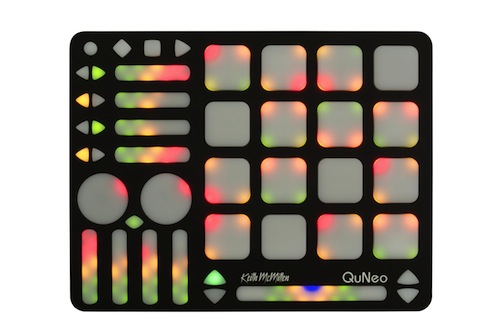
    This addon does a breakout of the QuNeo MIDI controller so that you can send its values out over OSC and easily access them in your program if you need a quick physical interface without decoding all the control values.

    There is also a breakout for the Akai MPD24 that does the exact same thing, but wasn’t sure if there would be much demand for that as a separate addon.

    ofxCalibrate

    This is a simple addon for when you’re trying to debug something with your display or projector. Does checkerboards, single pixel grids, animated gradients, etc etc. More coming soon hopefully.

    Trig_Movies

    I have been revisiting my old visual performance Max/Jitter patch and I decided to make it publicly accessible. The only thing I can’t post are some shaders that have questionable licensing agreements attached to them, but if you remove those modules it should work just fine.


  • Applescript to automatically fullscreen Madmapper for installations

    This is a simple Applescript that I used with a long running installation that required Madmapper for doing some precise mapping. More info on keeping long running installations going is here: http://blairneal.com/blog/installation-up-4evr/

    This script would be used on reboot to both open your Syphon enabled app and to open your madmapper file, open it, select fullscreen, and then hit OK on the dialog box.

    It requires you to set your own file path in the script for your madmapper file and application file.

    To use the code below:

    1. Open Applescript and paste it into a new file

    2. Change the filepaths and resolution so they match how it appears in your setup (ie resolution may be 3840×720 instead)

    2. Go to “File -> Export” and select “Application” as your file format

    3. In System Preferences -> Users & Groups -> Login items drop your applescript application in there to automatically launch on boot


    You can also add in pauses (for things to load) and other checks with applescript if necessary.

    This script will fail if for some reason the resolution has changed on boot or something – if the text doesn’t match exactly how it is in the Output menu of madmapper, it won’t work.

    NOTE: I personally do not recommend using Madmapper for long running installations – there are occasional issues with it losing keyboard focus and it can appear as if your machine has locked you out if accessing it remotely. It’s also typically best practice to try and keep everything simplified into one application so you can minimize weird occurrences. In the case that we had to use this, there was not enough development time to add in the mapping code that was necessary.


    tell application "Finder" to open POSIX file "YourInstallationApp.app" --add your absolute file path to your application
    
    delay 10 --wait 5 seconds while your app loads up
    
    tell application "Finder" to open POSIX file "/Users/you/yourmadmapperfile.map" --absolute filepath to your madmapper file
    
    do_menu("MadMapper", "Output", "Fullscreen On Mainscreen: 1920x1200") --change this line to your determined resolution
    
    on do_menu(app_name, menu_name, menu_item)
    	try
    		-- bring the target application to the front
    		tell application app_name
    			activate
    		end tell
    		delay 3 --wait for it to open
    		tell application "System Events"
    			tell process app_name
    				tell menu bar 1
    					tell menu bar item menu_name
    						tell menu menu_name
    							click menu item menu_item
    							delay 3 --wait for Is fullscreen OK? box to appear
    							tell application "System Events" to keystroke return
    						end tell
    					end tell
    				end tell
    			end tell
    		end tell
    
    		return true
    	on error error_message
    		return false
    	end try
    end do_menu
  • Doggifer

    Doggifer

    DoggiferIcon

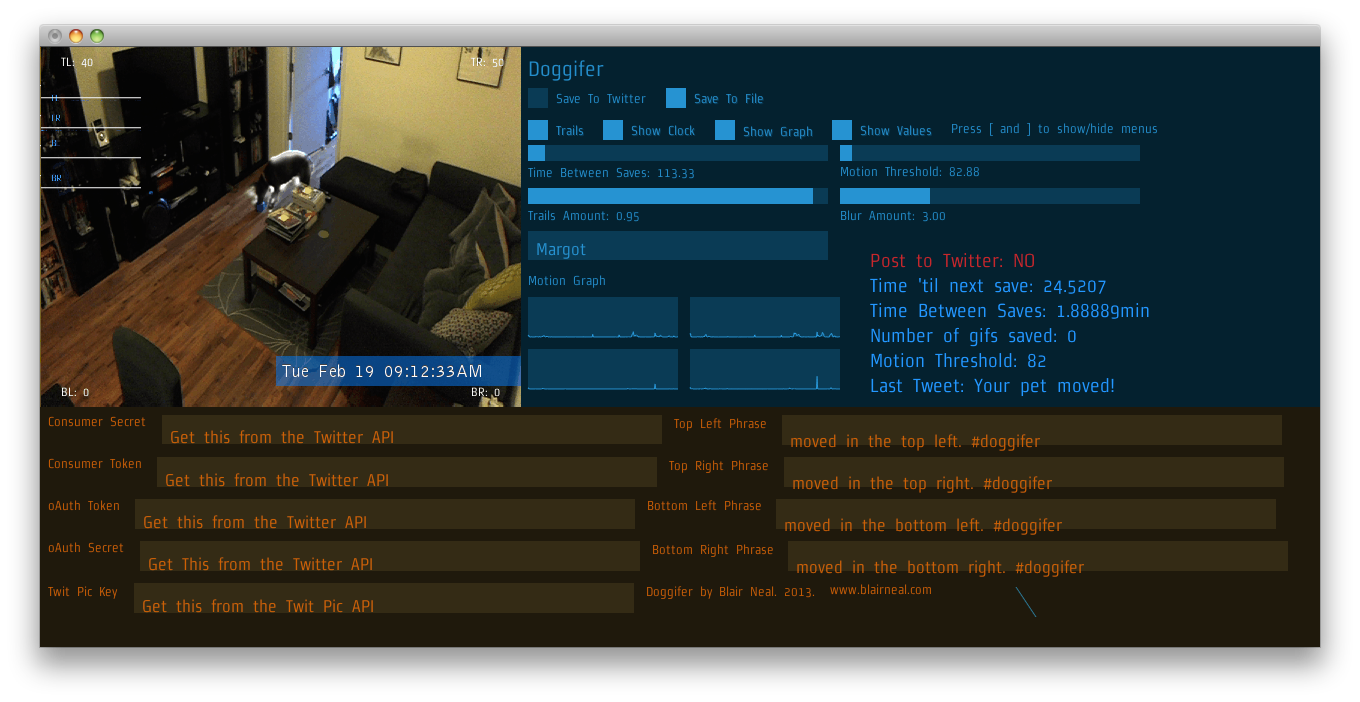
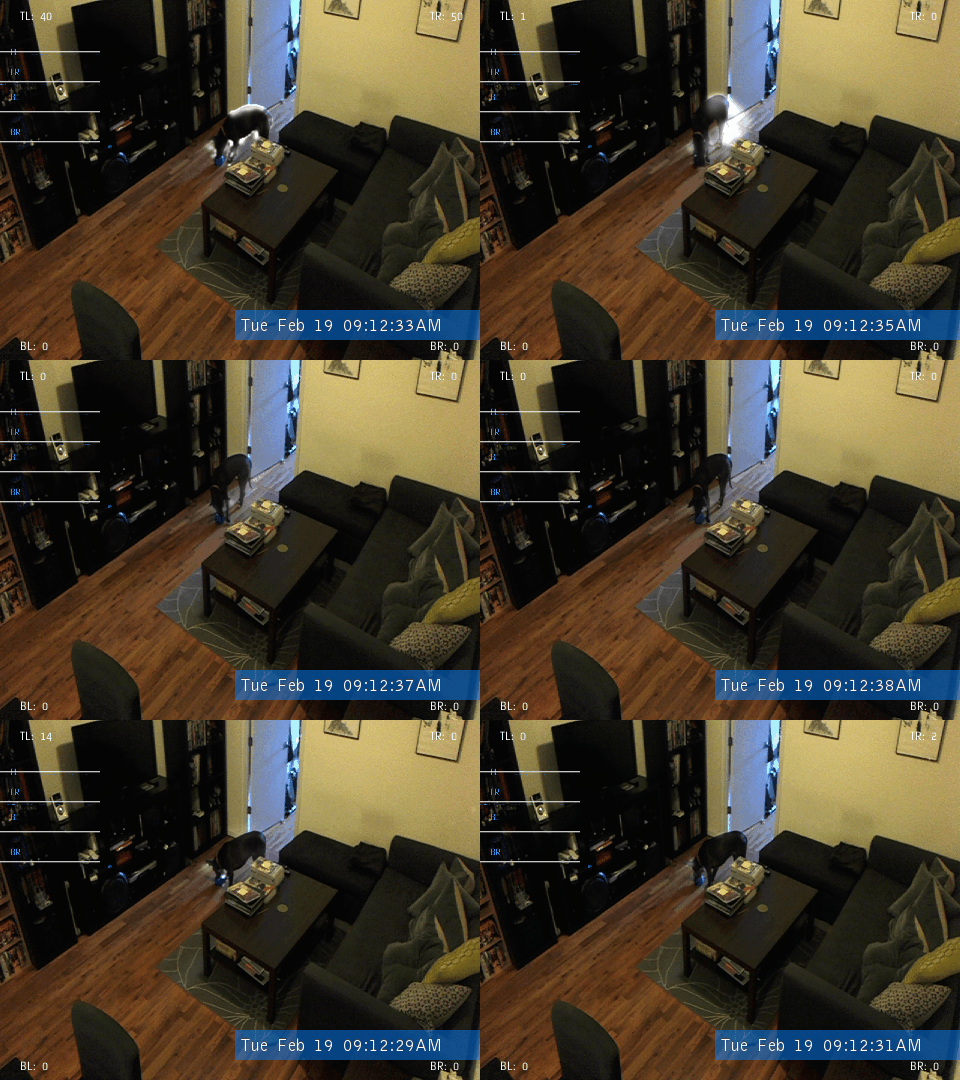
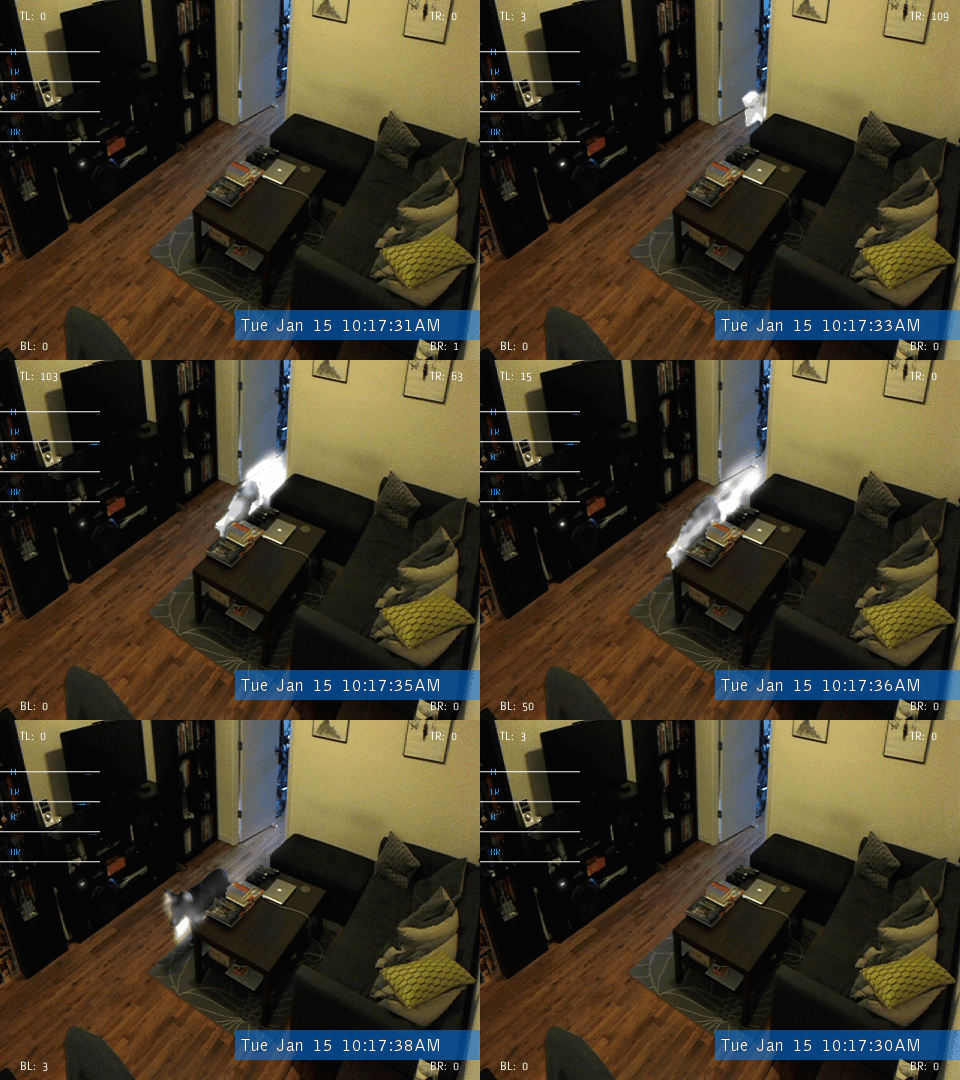
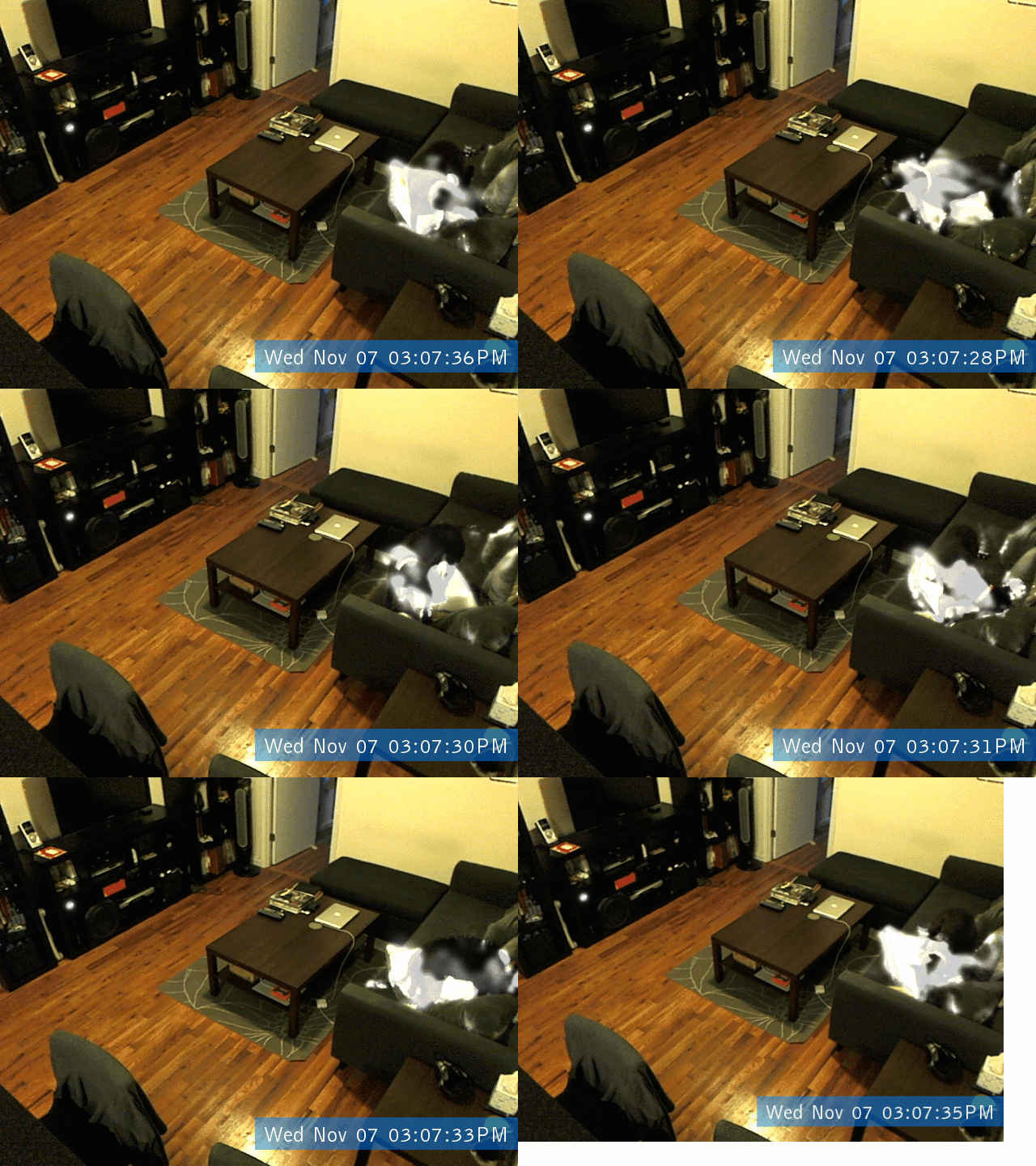
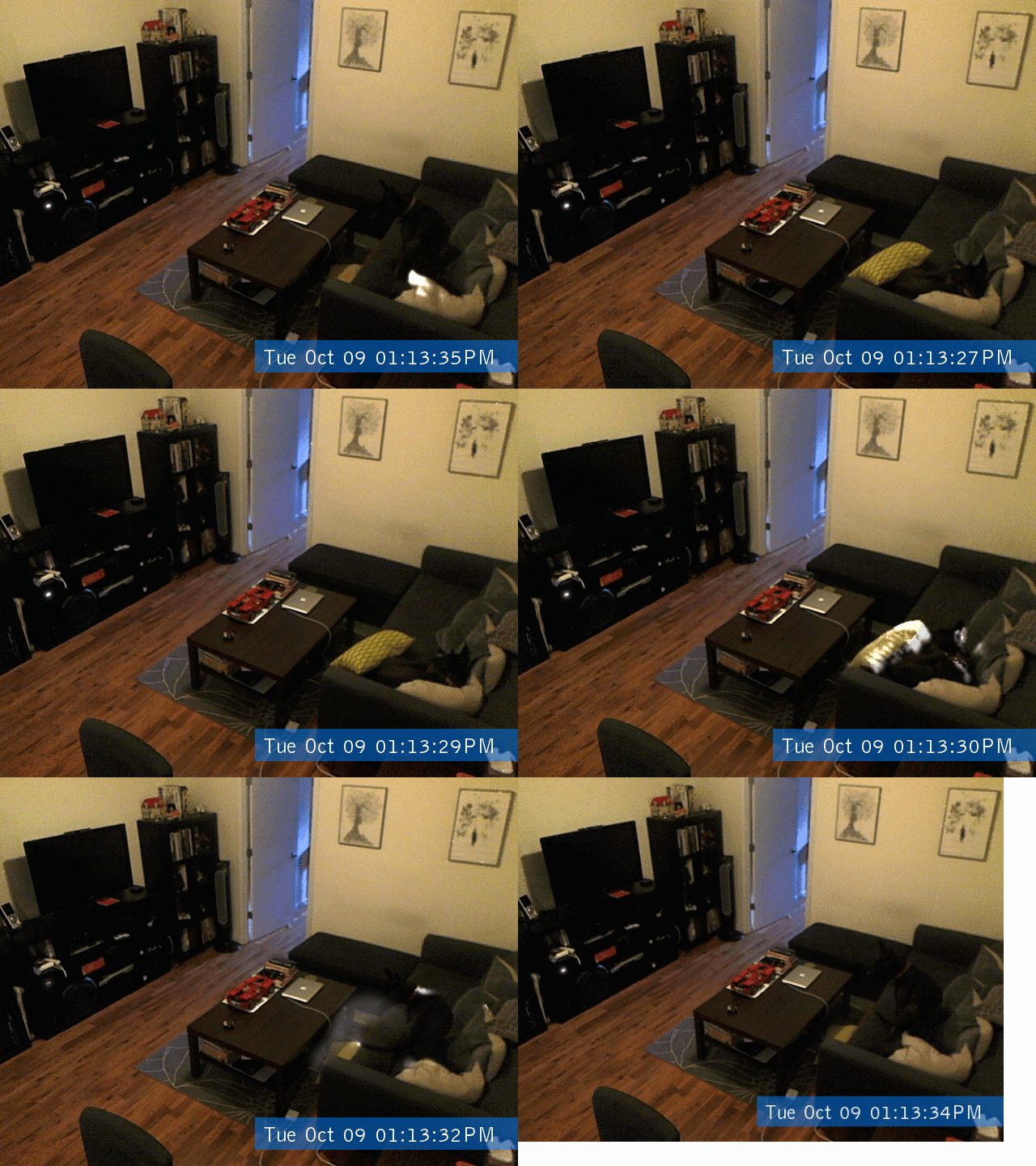
    Doggifer is an application that saves or tweets animated gifs of your pet’s movement’s throughout the day. It can also just be a general use toy for collecting automatically triggered animated gifs. You will need to set up a twitter account to use the twitter portion of the app. Instructions for setting that up are included in the readme file accompanying the app.

    Download Here: Doggifer v4 (2589 downloads )   (Only tested on OSX 10.6.8 but will run all day on a 5yr old laptop)

    You can see my dog Margot when we set up the cam at home @doggifer on twitter.

    Doggifer is made with openFrameworks and uses ofxUI from Reza Ali and ofxGifEncoder from Jesus Gollonet and Nick Hardeman.

    You can grab the source of Doggifer on my github and change stuff up as much as you’d like. Originally made with OF0073. Let me know if you have suggestions and I’ll do my best to add them. Let me know if you catch any good shots!

    If you do use Doggifer, I’m not personally asking for any compensation, but I (and many animals!) would really appreciate it if you donated to a local animal shelter instead. There is a very deserving no-kill shelter ( Sean Casey Animal Rescue ) in NYC that I’m a fan of and they would certainly appreciate your donations!

    DoggiferScreenshot
    734152129 717991804 683912867 669534709


    Creative Commons License
    Doggifer by Blair Neal is licensed under a Creative Commons Attribution-NonCommercial-ShareAlike 3.0 Unported License.

  • GL Rotate and translate example (OpenFrameworks)

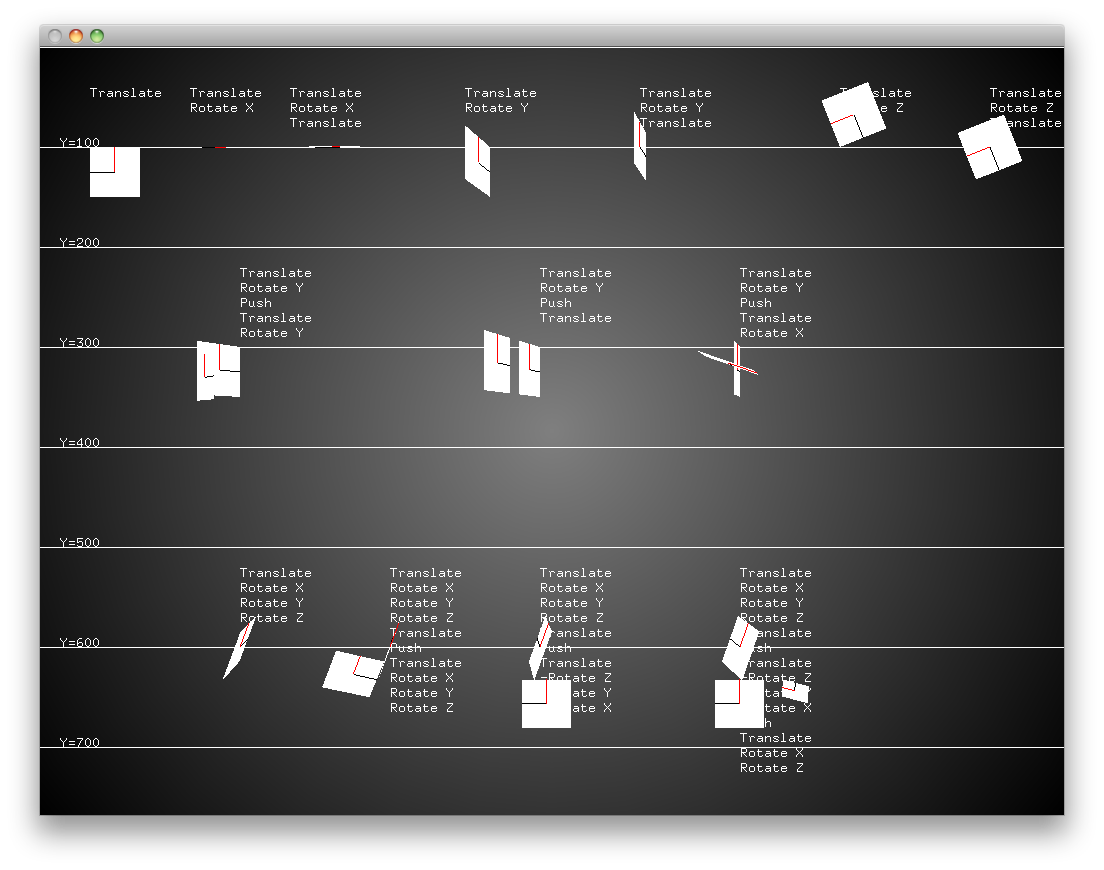
    I consistently seem to get myself confused by the order of operations when working with ofTranslate and ofRotate in openFrameworks and it feels like I have to re-teach myself each time I have to do something with those transforms.

    I made this simple bare bones cheatsheet program for myself to help show the differences between different rotate and translate orders, and I hope it helps others…hopefully will get time to post more low level tutorials like this in the near future with some of the more complicated matrix transforms/homography for projection mapping.

    Made with xCode and OF0072 but you should be able to just drop the “src” file into a Visual Studio Empty Example if you need to…enjoy!

    [Download not found]

  • Now on Github and Twitter!

    Been on github for a while, but probably a good idea to make an extra post here. Not a whole lot of useful stuff there yet, but hopefully will be posting some openFrameworks examples and stuff like that while I continue to work on that stuff.

    www.github.com/laserpilot

    www.twitter.com/laserpilot

  • Canon2Syphon v1.6

    Canon2Syphon v1.6


    UNFORTUNATELY – I’m getting reports that this app now crashes in macOS 10.13 High Sierra. Unfortunately, I have no plans to support this app any longer, so I’m going to have to leave it up to the next person to take the Canon SDK and mash it up with Syphon…

    A sort of beta release for using your Canon DSLR with the amazing Syphon framework. This lets you use your DSLR live in VDMX, Modul8, MadMapper, and any Syphon enabled app!

    I will be releasing the source soon, but it is literally just taking Kyle McDonald’s ofxEDSDK and the ofxSyphon addon and putting them together if you want to make something yourself. I also can’t release the EDSDK and you would have to grab it yourself from Canon’s developer website.

    Should work fine with most DSLR’s. Currently tested with t1i, t2i, t3i…and will hopefully work with 5D and 7D

    Let me know if you have issues or suggestions!

    UPDATE: v1.1 – camera stream now resizeable. icon tweak. Still working on crashing issues.
    UPDATE v1.11 – new/prettier icon from awesome user Simas Gineika. Other updates coming soon, like render to texture instead of window..just working on resizing issues

    UPDATE: v1.2 – Added render to texture instead of window…doesn’t seem to improve performance for me, but may help some people? Also added the ability to set a custom syphon server name.

    UPDATE: Bangnoise has created their own canon->syphon bridge that I can only assume is more fully featured/reliable than mine…going forward I’d say to check their solution out instead: https://github.com/v002/v002-Camera-Live

    Contact me for OLDer versions in case 1.2 doesn’t work

    NEW VERSION 1.6 – OSX 10.8 and above ONLY (stops working after 10.12) – Uses EDSDK 2.13.2 and now uses Cinder in the core – this has the advantage of only using 50% CPU as opposed to 150% in the previous version. It now uses these addons from Red Paper Heart and Astellato

    Canon2Syphon_v1.6.zip (13192 downloads )

    Version 1.5 – OS X 10.7 and above ONLY – should now support T5i and newer cameras – uses EDSDK 2.13. Runs 24fps/15cam FPS on my 2010 Macbook Pro with a lot of CPU usage – may close after 10min – Program has issues closing it’s threads properly and may need to be force quit. Use at your own risk.

    [Download not found] – 30mb download


    OLD VERSION 1.2 – OS X 10.6 and above but only supports T2i and similar aged cameras (maybe t3i)

    [Download not found]
  • 1024 Bezier Warp – Expanded QC Comp for VDMX

    First, make sure you have 1024’s amazing Bezier Warp QCplugin: http://1024d.wordpress.com/ (get it from their “box” on the left side of the page)

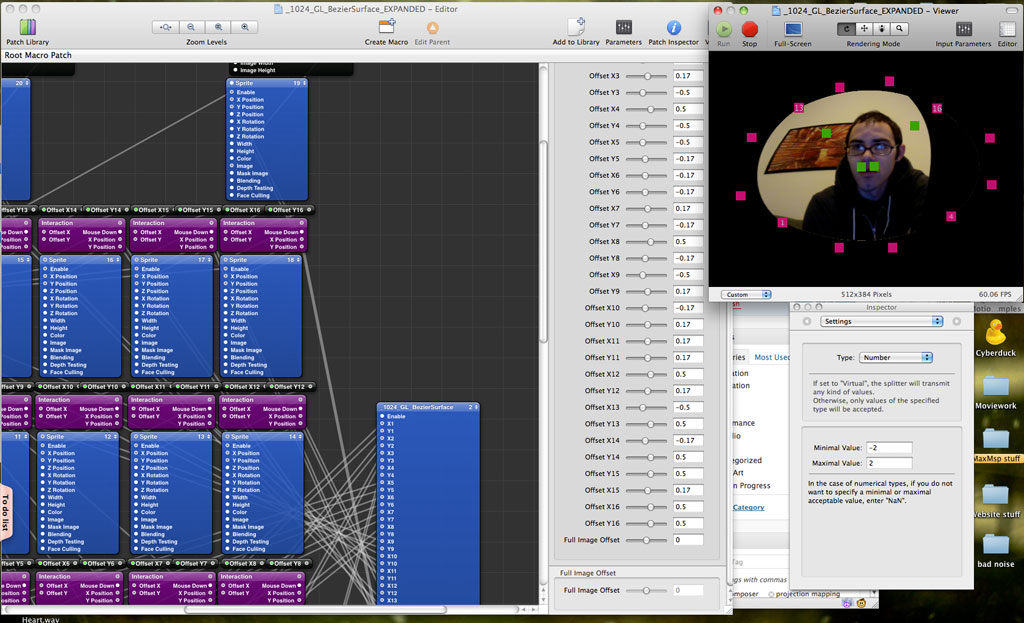
    Second, grab my expanded version of their example patch for use in VDMX: Quartz Composer – 1024 Bezier Warp – Expanded Example Patch (2599 downloads )   (see below for comp that includes POINT STORAGE)

    This comp will be really useful for those of you with VDMX beta 8 access. Although it still is extremely functional for other versions, you just won’t have mouse interaction in the VDMX preview window.

    I did the rote work to make all 16 warp points available and gave them additional offset controls for more fine-tuning within VDMX. Next I just need to figure out how to tackle point storage, since most of the would be reset every time you reload your VDMX preset…unless you’re just using the sliders for offset values. Then again…all of this kind of work will probably be moot when the actual MadMapper app comes out…but I’m really impressed by the ease of mapper…seems like it will certainly come in handy. Here’s some screenshots, and below that is Vidvox’s very helpful video on getting it all up and running

    EDIT: Got point storage working..sort of. It’s a bit clunky, but it definitely works. Requires a whole lot of tedious patching and Kineme’s File tools and Structure tools, but I’ll try and post a working version soon.

    UPDATE: Here is the hacky point storage method. Make sure to read the readme..it’s not all self explanatory: Quartz Composer – 1024 Bezier Warp – Point Storage (2583 downloads )  You need kineme’s file tools and structure tools installed for it to work! Would love to hear if there’s a more streamlined way to do it!

    (Click for full size)

  • Jit.freenect examples

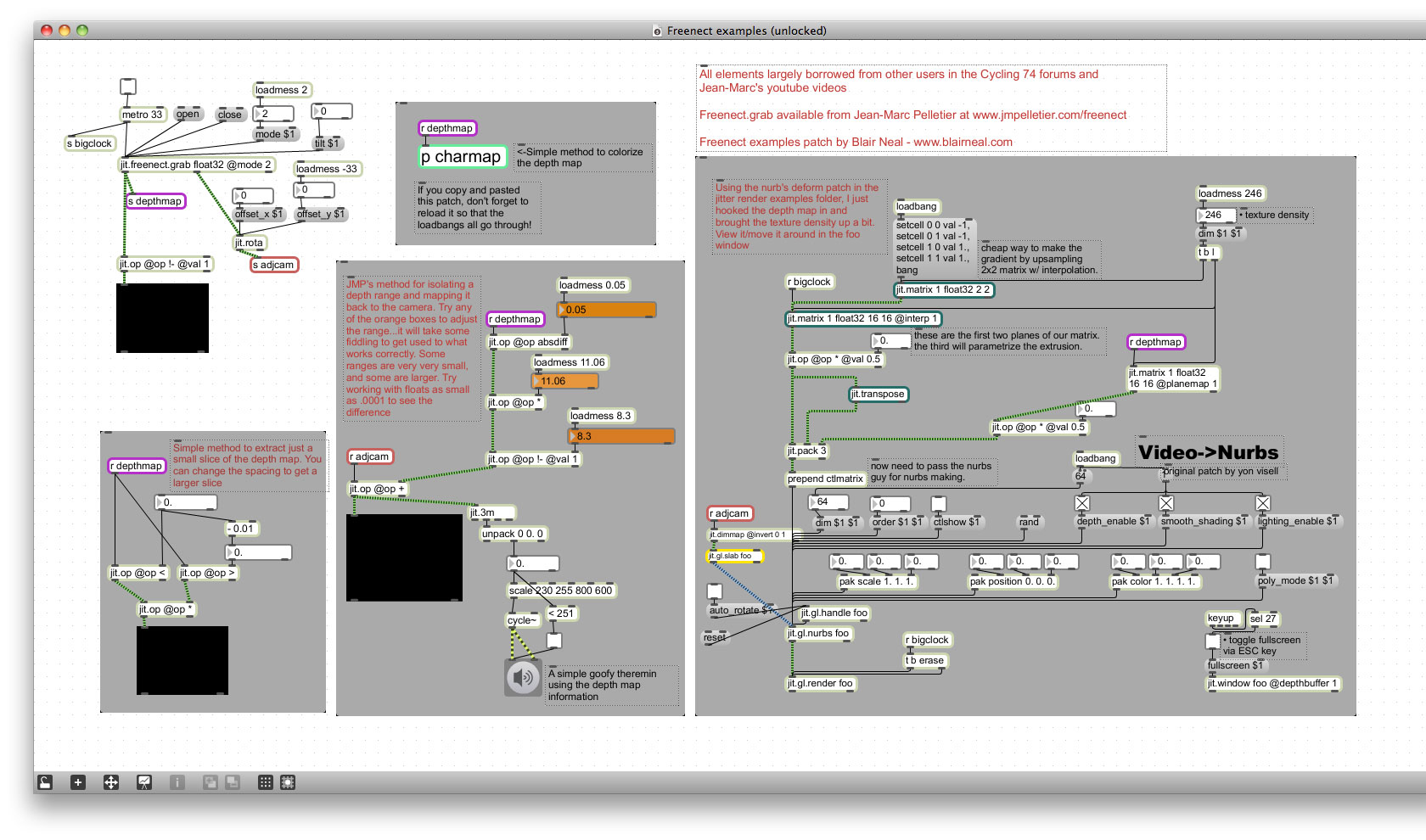
    Download the patch here: Max/MSP/Jitter – Jit.freenect examples (3500 downloads ) (or right click and select “Save as”)

    Using Jean-Marc Pelletier’s amazing Jit.freenect grab tool I was able to join in on the Microsoft Kinect party. I haven’t made anything nearly as impressive as the myriad of videos flying around youtube and vimeo, but it was fun to play with the depth information for the first time.

    I’m more of a max/msp guy, so I just threw together a few examples based on what came to mind in the first few hours of playing with one. Haven’t really touched it with Openframeworks or anything like that yet, but that’s definitely the tool of choice for most people. The first time I played with the tool in Jitter, I had trouble getting the right kind of data treatment in order to get interesting looking things, but this time i was able to cobble together things based on suggestions from users on the Cycling 74 forums. Hopefully my simple experiments will be helpful to someone else. Unfortunately, I was borrowing my kinect so I’m sort of flying blind in terms of updating the example. Hopefully I didn’t break anything when I cleaned it up…

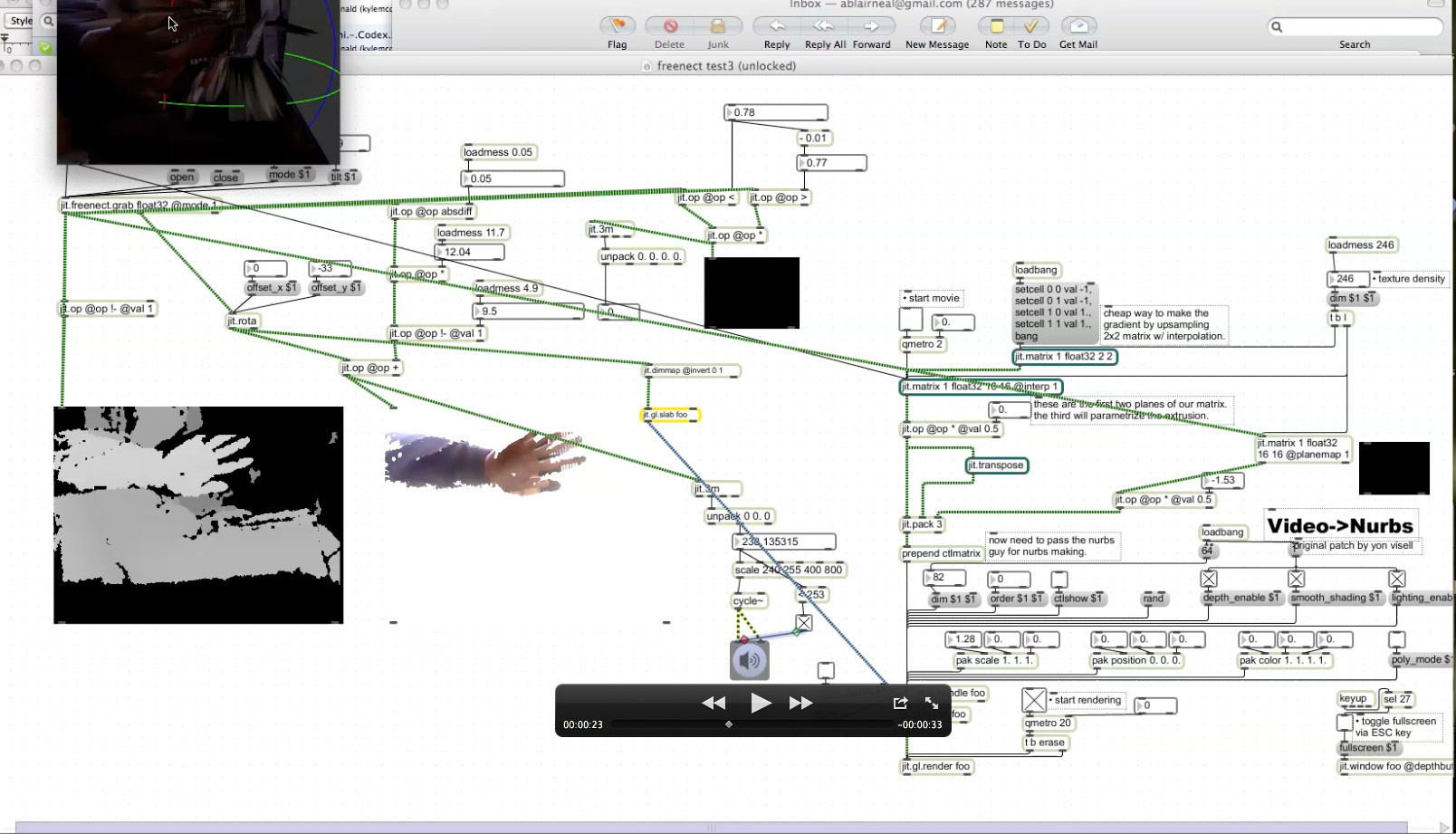
    In the example you can get a slice of the depth info and use that as a simple controller, you can control a goofy theremin, map the depth info onto 3d nurbs, and colorize the depth info.

    Screenshots are below…I have video, but it’s not very interesting, so a photo will have to do.

    (CLICK FOR LARGER VERSION)

    Freenect-screengrab

  • Quartz Composer Example: Toss image

    When posting Twitfeed and Wiipaint, I forgot about this other example of mine. It was one of my first attempts at using QC 4’s physics patches and it came out pretty well just by messing with the Apple examples. It allows you to give it a folder of images, and based on a simple pulse trigger (in this case, the space bar), it spits out another image on top of the old one. They all kind of pile on top of each other and have a nice, natural spring motion to them. It’s not the cleanest patch in the world, but let me know if you have any questions about deciphering it…a lot of the magic is in JavaScript for ease of logic, but I am the world’s sloppiest JavaScript programmer.

    Quartz Composer – Toss image quartz example (2509 downloads )
  • Quartz composer examples: Twitfeed and WiiPaint for VDMX

    Just a couple old examples that people used to ask for or could possibly find useful. The first is good ol’ WiiPaint which is a sort of lame way to use a Wiimote with VDMX or quartz composer, but it allows for drawing, erasing and color changes.

    Quartz Composer – WiiPaint (1305 downloads )

    I also made a quick patch out of the RSS feed reader patch in Quartz and set it to search for tweets and display them in real time. It is a good choice for overlays at an event where there is a specific #hashtag. It displays each tweet and allows for control of color, and duration of each tweet, as well as accepting text input for a search term. Enjoy! PLEASE NOTE: DUE TO TWITTER API CHANGES IN JUNE 2013 THE RSS FEED NO LONGER WORKS. Sorry 🙁  Quartz Composer – Twitfeed quartz comp (2591 downloads )