Category: openframeworks

  • Who shares code with artists?

    There has always been a slight tension between ad agencies and artists and the line between borrowing and stealing, even before all this “new media” business. Visual artists, graphic designers and animators have had their methods and styles borrowed or stolen for decades. This borrowing or stealing is nothing new, it is just new for this particular art form. The current version of this tension has been discussed in various articles and talks, notably Golan Levin’s “New Media Artists are the Unpaid R&D of Ad Agencies.”

    I’ve worked at an experiential design company in Brooklyn called Fake Love for three years, and we do a lot of commercial work, as well as art works. We are a small crew of about twelve, with three in-house developers including myself. Almost every project we have done has used some degree of open source software or hardware, and we understand and appreciate open source’s role in supporting a large part of our industry and livelihood. I wouldn’t have the awesome job I have without open source artist tools – period. It’s no surprise then that we’re big into sharing as much as we reasonably can to give back to the community that helps us so much. We’re still learning how to give back in different ways, and we still have a lot to learn ourselves. Luckily, we’re not alone at all, and there are tons of amazing production companies/agencies/collectives/studios doing fantastic jobs of sharing stuff too.

    Github is a website where individuals and organizations can publicly or privately collaborate on coding projects, and share the fruits of those projects with others. There are other sites that do this, but Github is the most widely used at the moment. I compiled this list of organizations that post some of their code to Github – I did this to create a resource and to highlight a list of companies posting at least a little bit of the code they work on day to day:

    Company/Agency/CollectiveGithub Link
    Adafruithttps://github.com/adafruit
    AKQAhttps://github.com/akqa
    B-Reelhttps://github.com/B-Reel
    Barbarian Grouphttps://github.com/thebarbariangroup
    Barbarian Group/Cinderhttps://github.com/cinder
    BBDOhttps://github.com/BBDO
    Breakfast NYhttps://github.com/breakfastny
    CLOUDShttps://github.com/CLOUDS-Interactive-Documentary
    Deep Localhttps://github.com/deeplocal
    Digitashttps://github.com/digitashttps://github.com/digitas
    Dpt.https://github.com/morethanlogic
    Dreamworkshttps://github.com/dreamworksanimation
    Fake Lovehttp://github.com/fakelove
    Fieldhttps://github.com/field
    Framestorehttps://github.com/framestore
    Googlehttps://github.com/google
    Google Creative Labshttps://github.com/googlecreativelab
    Google Data Artshttps://github.com/dataarts
    Havas Worldwidehttps://github.com/MadSciLabs
    Helios Interactivehttps://github.com/HeliosInteractive
    Hellicar and Lewishttp://github.com/hellicarandlewis
    IDEOhttps://github.com/ideo
    IDEO Digital Shophttps://github.com/ideo-digital-shop
    Intel Perceptual Computinghttps://github.com/IntelPerceptual
    LAB at Rockwell Grouphttps://github.com/labatrockwell
    Legworkhttps://github.com/legworkstudio
    Local Projectshttps://github.com/local-projects
    Microsofthttps://github.com/msopentech
    Midnight Commercialhttps://github.com/MidnightCommercial
    MPC Digitalhttps://github.com/mpcdigital
    Otherlabhttps://github.com/otherlab
    Pixarhttps://github.com/PixarAnimationStudios
    Potionhttps://github.com/Potion
    Psy Ophttps://github.com/Psyop
    Razorfishhttps://github.com/razorfish
    Red Paper Hearthttps://github.com/redpaperheart
    Sapienthttps://github.com/sapient-global
    Sapient Nitrohttps://github.com/sapientnitro
    Second Storyhttps://github.com/secondstory
    SparkFunhttps://github.com/sparkfun
    Stimulanthttps://github.com/stimulant
    Stopphttps://github.com/stopp
    TBWAhttps://github.com/tbwa
    The Rumpus Roomhttps://github.com/therumpusroom
    Vidvoxhttps://github.com/Vidvox
    Warp Records/Unit 9https://github.com/warprecords
    YCAM Interlabhttps://github.com/YCAMInterlab
    Your Majestyhttps://github.com/Your-Majesty

    These sampled companies vary wildly in size from half a dozen people to large global corporations. These are also just companies that I am aware of that do something vaguely artistic with code, I did a little bit of research but it can be hard to track down exact Github pages. If someone thinks someone should be added to the list, please get in touch with me – or add your own links to this public Google Spreadsheet. You can also see a list of agencies sorted by “stars” – Github users can “star” repositories that they find useful, so it provides a bit of a metric for who is providing useful code – link here

    It’s important to note that sharing code isn’t the only way to keep the community healthy. Some companies aren’t particularly good at the code sharing aspect, despite having a Github. A public Github alone doesn’t get you a “I did the right thing” pass. Some shared code is old, poorly documented, sparse, or such a niche application that it would hardly be useful to anyone else without putting more time in to figure out what it does (and if it even does it well). Let’s also be clear that sharing an entire project that you made for a client can rarely be useful to a large audience. In my experience, most projects in this realm are made on tight timelines and leave little time for proper organization and cleanup.  The best parts of the project may be tucked away in a single class that would be more useful as a tool or individualized example that you break out after the fact. All this sharing step takes is a little time and planning. In addition to sharing code, as noted in Golan’s talk, it is also very important to reach out to artists, to credit them, to cite them and perhaps most useful – to pay them.

    Right now, a lot of artists don’t explicitly ask for money for the creations they share – typically on good faith. Artists and agencies work in their own economies, and when the work between them overlaps there needs to be awareness of those differences. The currency of these sharing artists is time, the current of agencies is money. To support the producers of the sharing economy, they can provide citations and sometimes money. It can be rough out there for a principled artist who doesn’t do commercial work but loves to share their code and methods regardless. In a way, it’s a risk artists are taking. Their carefully crafted code built for an honest and compelling artwork can both further the field for other struggling artists, and be used in a goofy stunt to sling sugar water.  Of course even if other artists use this carefully crafted code, they can make a piece of shit artwork just as easily an agency can make a piece of shit campaign. The difference is who gets paid for it, how much they got paid for it, the credits and the promotion that comes out of it. I’ve seen the budgets for some of these commercial projects, and they far eclipse the typical amounts you’ll see available for other comparable artworks. A tiny fraction of these massive budgets can be set aside to pay artists for their work.

    One way artists can guide the usage of their work is by applying specific licenses to their work as a modest (and occasionally legally binding) request of “This is the way I would like my work to be used in the future.” As it is now, many of these licenses that artists apply are fairly lenient and don’t always make a distinction between their use in commercial or non-commercial work. Most just ask that you give attribution or share back what you built with the community. Of course, it may not always stay this way.

    A big part of making sure this open and free environment remains open and free falls to the responsibility of the agencies, production companies, collectives, studios who are using and profiting from the code and technical developments made by independent artists. Much of the industry’s future relies on artists going through school or training to build the tools that may be used in tomorrow’s experiences – it’s likely that the artists will want to see that path as being able to provide a sustainable living. At the moment there is more money, stability and human resources available to these larger companies. Returning to the opening point –  borrowing and stealing from artists has been going on for decades, but for the same amount of time organizations and individuals have also had the option to find a way to do the right thing.

    ————————————————–

    Thanks to Kyle McDonald, Golan Levin and Dan Moore for providing input on this writeup.
  • New Code – ofxCoreImage, ofxQuneo

    Been working on some of my first openFrameworks addons – figured it made sense to post them here in case anyone has trouble finding them on my github:

    ofxCoreImage

    Ever since transitioning from using Quartz Composer to openFrameworks, I wanted the ability to use the easy OSX Core Image filters inside OF apps. After finding an example online, I built out an addon that does just that. You can use about 70 of the 130+ built in filters – I just need to provide class breakouts for the other filters.

    It’s still in development for now and needs some issues fixed with getting input and output properly and working with the GL Contexts so that I can properly use a GLFW window.

    ofxQuNeo

    71vhiJAto0L._SL1500_

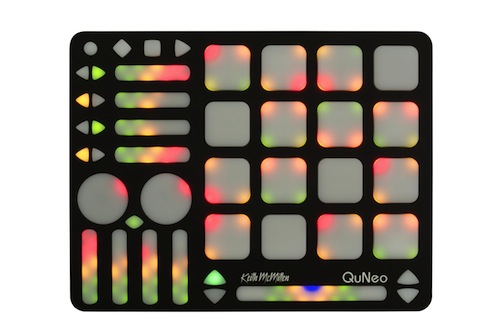
    This addon does a breakout of the QuNeo MIDI controller so that you can send its values out over OSC and easily access them in your program if you need a quick physical interface without decoding all the control values.

    There is also a breakout for the Akai MPD24 that does the exact same thing, but wasn’t sure if there would be much demand for that as a separate addon.

    ofxCalibrate

    This is a simple addon for when you’re trying to debug something with your display or projector. Does checkerboards, single pixel grids, animated gradients, etc etc. More coming soon hopefully.

    Trig_Movies

    I have been revisiting my old visual performance Max/Jitter patch and I decided to make it publicly accessible. The only thing I can’t post are some shaders that have questionable licensing agreements attached to them, but if you remove those modules it should work just fine.

  • 3DFFT Sonic Prints new samples

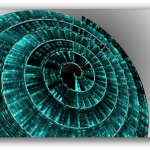
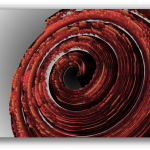
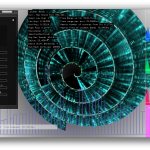
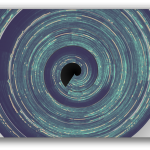
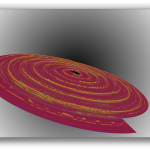
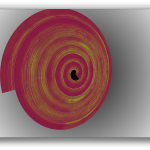
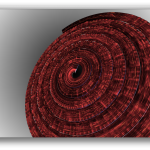
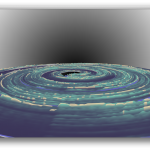
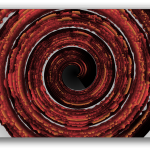
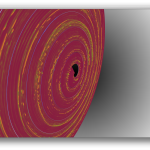
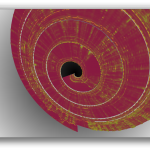
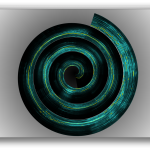
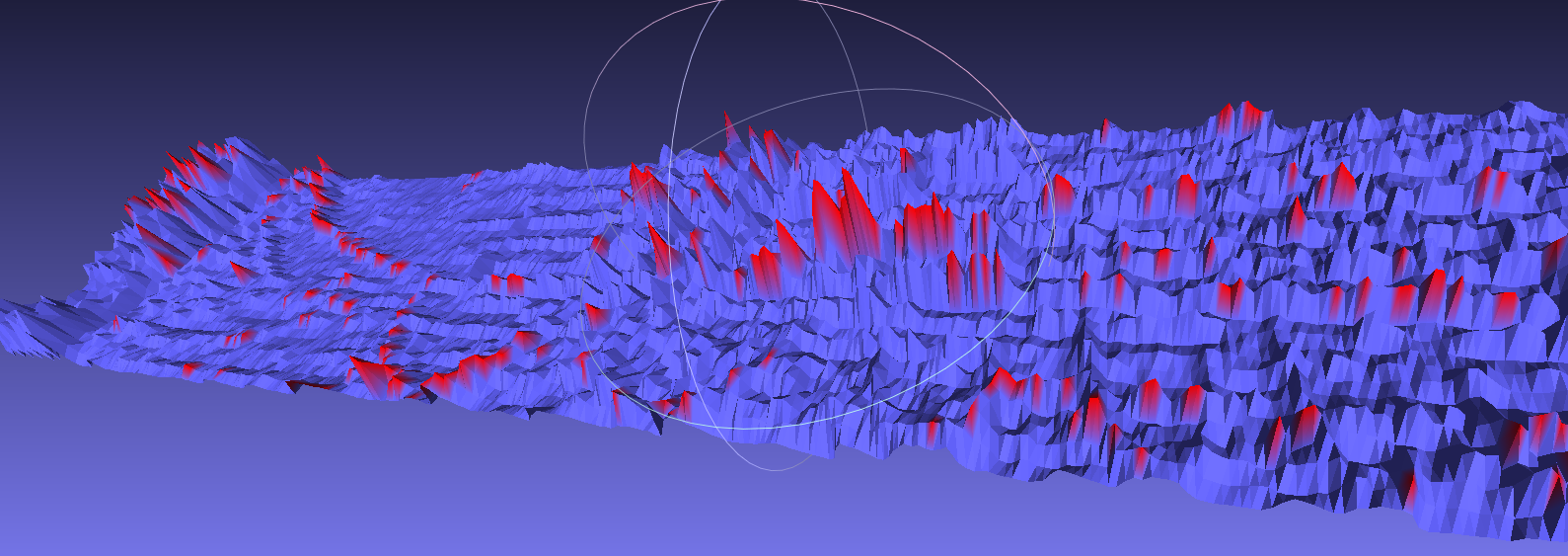
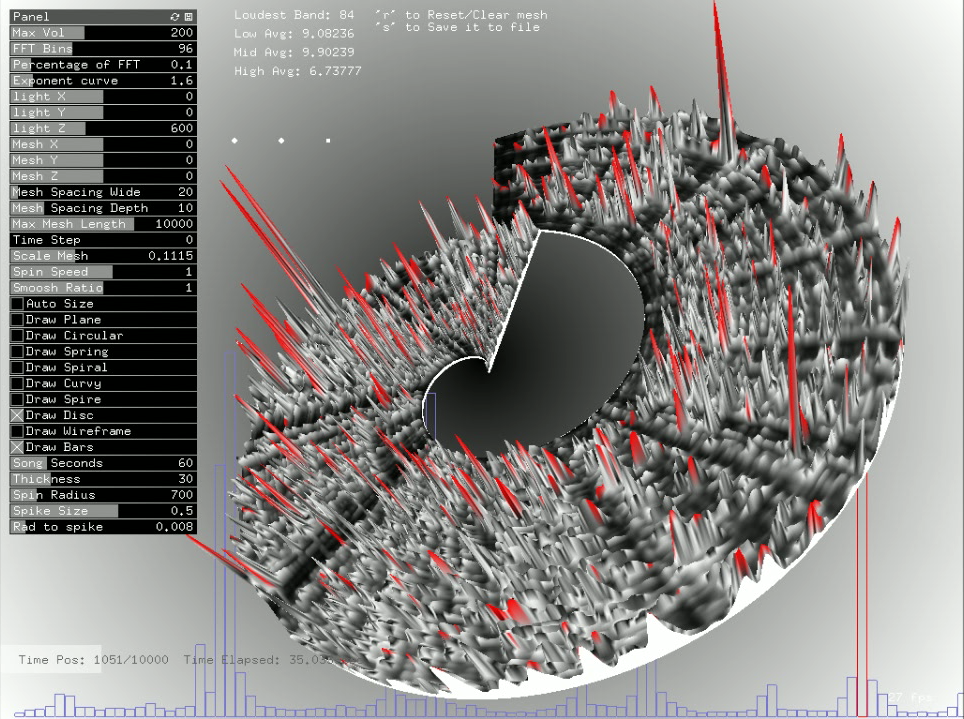
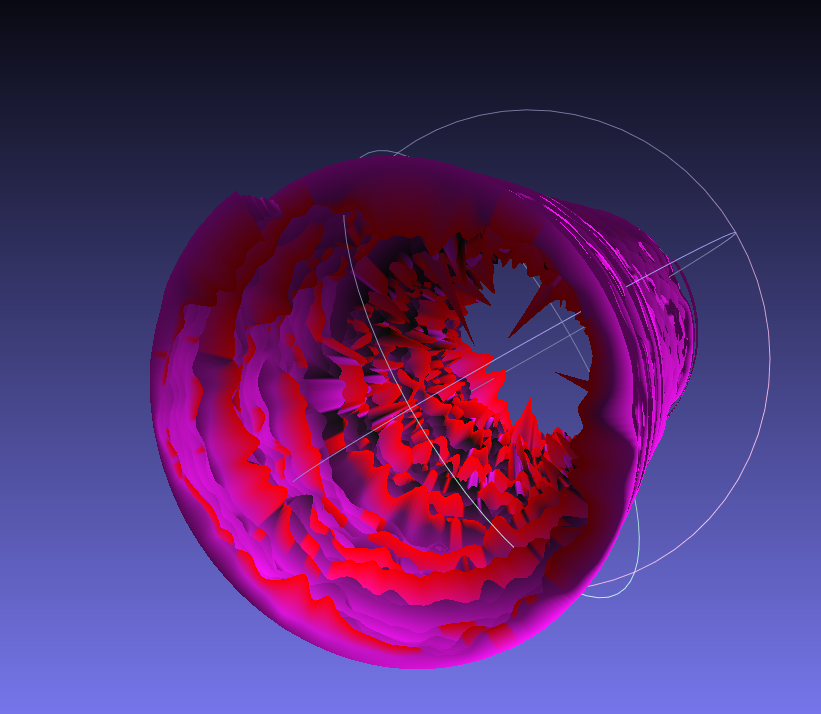
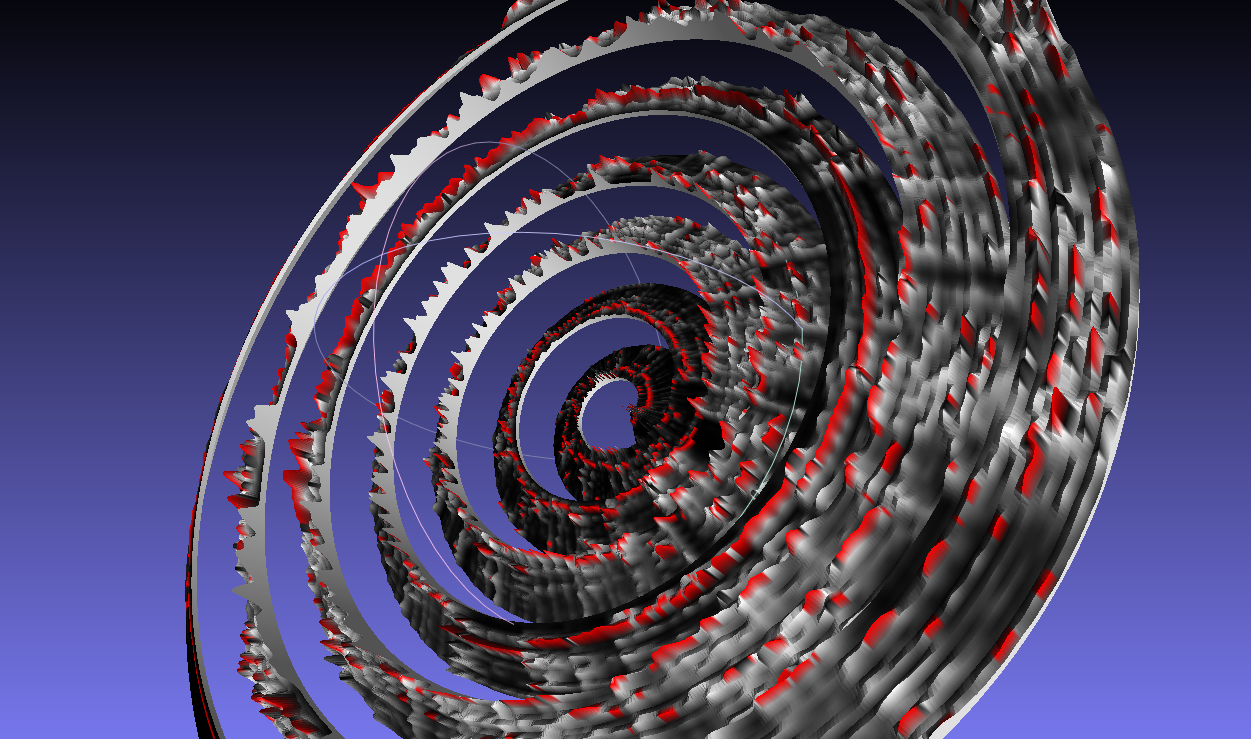
    I’ve continued to play with my 3DFFT software that takes incoming audio and generates a 3D mesh from the FFT information. I’ve been playing with some different types of music and gotten some really nice varying results. Some slow ambient songs are like dragging a paintbrush in a circle (Hammock), while more rhythmic songs have more of a stippling pattern (Haim and Animal Collective). These results were normalized but with a little too much of a hard cutoff, I’m trying to get a look for these that keeps them from exploding too much, but still keeping a little more texture. Doing selective coloring really makes a difference as well. I’m hoping to make some more physical renders of these in the near future with a CNC instead of a 3D printer so that the larger size can enhance some of the details. I also hope to work out the kinks soon so that I can release the code for other to use for making their own sound prints.

  • 3DFFT Sonic Prints new samples

    I’ve continued to play with my 3DFFT software that takes incoming audio and generates a 3D mesh from the FFT information. I’ve been playing with some different types of music and gotten some really nice varying results. Some slow ambient songs are like dragging a paintbrush in a circle (Hammock), while more rhythmic songs have more of a stippling pattern (Haim and Animal Collective). These results were normalized but with a little too much of a hard cutoff, I’m trying to get a look for these that keeps them from exploding too much, but still keeping a little more texture. Doing selective coloring really makes a difference as well. I’m hoping to make some more physical renders of these in the near future with a CNC instead of a 3D printer so that the larger size can enhance some of the details. I also hope to work out the kinks soon so that I can release the code for other to use for making their own sound prints.

  • How to keep an installation up forever – Part 2

    This is a new post following my previous article: How to keep an installation up 4evr

    In this addendum, I’m going to outline some new tricks you might find useful for keeping long running installations going – or at least so you can keep an eye on them. I’m keeping an eye on 3 separate, complex installations at work right now so I needed some new tools to make sure everything is running smoothly. Please let me know if you have any new tricks to add in comments below!

    Most of the tricks try to avoid third party software and just use the base OS X/Unix tools available as they would (hopefully) be the least error prone methods and sure to work with the system you’re on.

    1. Process Logger

    If you have an installation that runs for weeks or months, you might want a way to keep tabs on it that doesn’t involve remotely logging in and checking on it. A good thing to have would be to have something on the system that writes certain info to a text file (kept on a linked Dropbox), or better write that file to a web server that you can then check.

    There are a couple things you can do depending on what you want to know about the state of your installation.

    There is a terminal command you can use to get a list of all of the currently running processes on your computer:

    ps aux (or ps ax)

    (more info above ps commands here) – Further more you can filter this list to only return applications you’re interested in learning about:

    ps aux | grep "TweetDeck"

    This will return a line like this:

    USER             PID  %CPU %MEM      VSZ    RSS   TT  STAT STARTED      TIME COMMAND
    laser          71564   0.4  1.7  4010724 140544   ??  S    Sun03PM  14:23.76 /Applications/TweetDeck.app/Contents/MacOS/TweetDeck -psn_0_100544477
    laser          95882   0.0  0.0  2432768    600 s000  S+   12:11PM   0:00.00 grep TweetDeck

    Now you have the following useful info: CPU usage, Memory usage (as percentage of total memory), Status, Time Started, Time Up

    All that is left is to write this output to a text file, which you can do with a line like this:

    ps aux | grep 'TweetDeck' >> /Users/laser/Dropbox/InstallationLogs/BigImportantInstall/Number6ProcessLog.txt

    Now we just need to make this an executable shell script and set it up as a launch daemon or cron job – see the previous article at Step 3 to learn how to run the shell script at a regular interval using Lingon and launchd. If the app isn’t running, it will only return the “grep YourAppName” process which is a good thing to log because if your app isn’t open you won’t know how long it’s been out (nothing will be logged), but having the grep process logged will at least tell you it was checking for it. Grep will also more accurately tell you what time it checked – the other app will only give you a start time and up time.

    Let’s also take this one step further and say, hypothetically, that the Triplehead2Go display adapter you have is fairly wonky and you don’t always get the displays or projectors to connect after reboot – or maybe a projector is shutting itself off and disrupting things. Well we can log the currently available resolutions too! Try entering the line below in your own terminal:

    system_profiler SPDisplaysDataType

    This will return a list of connected displays and some metadata about them including resolution and names.

    Let’s say you want to make sure you’re running a resolution of 3840×720 at all times…or you want a log of resolution changes. You would do something like:

    system_profiler SPDisplaysDataType | grep Resolution

    This will return “Resolution: 3840×720” which you can combine with the above lines to write it all to a text file. So here would be your shell script file if you wanted to record the currently running processes and the current resolutions:

    #!/bin/bash
    ps aux | grep 'YourAppName' >> /Users/you/filepath/Install6ProcessLog.txt
    system_profiler SPDisplaysDataType | grep Resolution >> /Users/you/Dropbox/Install6ProcessLog.txt

    And now you’re feeling excited, maybe you want to grab a fullscreen screenshot at a regular interval too, just to make sure there is no funkiness happening that you can’t see…well you could add this line to the above as well:

    screencapture ~/Desktop/$(date +%Y%m%d-%H%M%S).png

    This will save a screenshot to the desktop (specify your own file path) with a formatted date and time. You may want to do this every hour instead of every 5 minutes since it’s a big chunk of data and it may cause some issue with your screens. As usual – test before deploying!

    Bonus points would be to create an auto-generated table and webpage that takes all of this info and puts it into a nice view that you can use to check all of your installations at a glance.


    2. Email Yourself on crash or other behavior

    If the process logger isn’t enough, we can use what we learned in that process to actually set up a system to email you if something is amiss so you don’t have to manually check it. We can do this all with the command line and internal tools, it’s just a more involved setup. This is going to be fairly general and will need some tuning in your specific case.

    First you will need to configure postfix so you can easily send emails from the terminal – follow the instructions here as closely as possible: http://benjaminrojas.net/configuring-postfix-to-send-mail-from-mac-os-x-mountain-lion/

    If you were using a gmail account you would do:

    InstallationSupport@gmail.com

    pass: yourpassword

    The line in the passwd file mentioned in the article would be: smtp.gmail.com:587 installationSupport@gmail.com:yourpassword

    Now send a test email to yourself by running: echo “Hello” | mail -s “test” “InstallationSupport@gmail.com”

    Second step is to combine this new found ability to send emails from the Terminal with a process to check if your application is still running…something like the below would work with some tweaking for what you’re looking to do:

    #!/bin/sh
    if [ $(ps ax | grep -v grep | grep "YourApp.app" | wc -l) -eq 0 ] ; #Replace YourApp.app with your own app's name     
    then
        	SUBJECT="Shit broke"
        	EMAIL="InstallationSupport" #this is the receiver
       	 EMAILMESSAGE="This could be for adding an attachment/logfile"
       	 echo "The program isn't open - trying to re-open">$SUBJECT
       	 date | mail -s "$SUBJECT" "$EMAIL"  "$EMAILMESSAGE"
    
        	echo "YourApp not running. Opening..."
    
        open /Applications/YourApp.app #reopen the app - set this to an exact filepath
    else
        echo "YourApp is running"
    fi

    Now you just need to follow the instructions from Step 3 in the other article to set this shell script up to run with launchd – you can check it every 5 minutes and have it email you if it crashed. You could also adapt the If statement to email you if the resolution isn’t right or some other process condition.

     
    3. Memory leak murderer

    See this article about combining the above process with something that kills and restarts an app if it crosses a memory usage threshold

    Bonus – if using MadMapper – see this link for an AppleScript that will open MadMapper and have it enter fullscreen – and enter “OK” on a pesky dialog box.

  • Commercial Work – Page 1

    This post is a sample of the large scale and commercial work I have done as the lead creative technologist at Fake Love in NYC


    Lexus – Trace Your Road – Life Sized Video Game – Rome, Italy – 2013

    My role: I was one of the lead technical developers and designers for this piece, along with Dan Moore and Ekene Ijeoma. Programmed in openFrameworks on OSX and iOS.

    Lexus | TRACE YOUR ROAD | Director’s Cut from Fake Love on Vimeo.

    ——————————–

    AmEx Instagram Towers – Fashion Week – Lincoln Center, NYC –  2012

    My role: Lead technical architect on the hardware and interaction, also programmed by Caitlin Morris Made with openFrameworks.

    Amex Fashion Week Instagram Towers from Fake Love on Vimeo.

    ———————————

    NY Pops Gala 2012 – Interactive Conductors Baton – Carnegie Hall, NYC – 2012

    My role: I was the programmer and tech lead on this project. Devised the tracking system, custom baton, software and design. Made with openFrameworks and Max/MSP/Jitter

    NY Pops | Gala 2012 from Fake Love on Vimeo.

    ———————————-

    Google Project Re:Brief Coke – Interactive Vending Machine – Worldwide – 2011

    My role: I was the lead tech for the installation/physical side of this project (another company did the banners and web server portion). I did the vending machine hacking, setup and programming in New York, Cape Town, Mountain View and Buenos Aires. This project went on to win the first Cannes Lions mobile award. Other programming and hardware hacking by Caitlin Morris, Chris Piuggi, and Brett Burton. Made with openFrameworks.

    Project Re:Brief | Coke from Fake Love on Vimeo.

    —————————-

    Shen Wei Dance Arts – Undivided Divided – Park Avenue Armory, NYC – 2011

    My role: Lead projection designer, programmer, and live show visualist. I designed the entire 12 projector system for this Shen Wei premiere at the Park Avenue Armory. I also programmed and maintained the playback system for the 5 night run of the show. Made with Max/MSP/Jitter and VDMX

    Shen Wei | Park Avenue Armory from Fake Love on Vimeo.

    ——————————-

    Shen Wei Dance Arts – Limited States – Premiere – 2011

    My role: Lead projection designer, programmer and live show visualist. I designed the playback and technology system for this new piece by choreographer Shen Wei. I also contributed heavily to some of the visual effect programming seen in some of the pre-rendered clips. Made with Max/MSP and VDMX.

    Shen Wei – Limited States from Fake Love on Vimeo.

    ——————————–

    Sonos – Playground and Playground Deconstructed – SXSW and MOMI NYC – 2013

    My role: I was the technical designer of the hardware and projections for this audio reactive immersive piece. Red Paper Heart was the lead designer and developer on this project which they made with Cinder.

    PLAYGROUND DECONSTRUCTED from Fake Love on Vimeo.

  • Using OpenFrameworks OpenCV Blob Detection with Syphon and VDMX

    A slightly different version of this post will eventually get posted to the fantastic VDMX blog, but here I will focus a little more about getting things up and running in OpenFrameworks. This will assume you have a little bit of experience with OpenFrameworks and XCode, but let me know if you need more info in the comments. This will work for any Syphon enabled application, but I’m going to stick with VDMX for simplicity. This will walk you through the important connections you will need to make to get VDMX and an OpenFrameworks application talking via Syphon for the purposes of performing computer vision/OpenCV operations on your live visuals.

    Currently most commercial visual performance softwares do not include methods of actually analyzing the imagery of what you’re playing with, they tend to focus on working on sound analysis. Image analysis can potentially be much slower than audio analysis, but the algorithms are getting fast enough now that it becomes a viable option for incorporating into live setups. Image analysis can be a useful tool for performance because you can either use the info in the images to process itself (e.g. If it’s really bright, do X. If there is a face in the video, do Y). You can also use it for interesting graphical effects that are harder to achieve with traditional shaders and filters (e.g. Put a pulsing red rectangle around parts of the image that are moving).

    On Github, I have sample code and VDMX project for you that helps to walk through the individual components of:

    1. Send VDMX layer output via Syphon
    2. Capture the VDMX Syphon feed in OpenFrameworks as a Texture (actually an IO Surface under the hood..not quite a texture)
    3. Transform the Texture into Pixels that that can be processed by OpenCV
    4. Process those Pixels with OpenCV (In this case we are doing Contour finding/Blob detection)
    5. Draw Contours/Bounding Boxes in OpenFrameworks
    6. Capture desired drawn output in OpenFrameworks as a Texture (here, drawn contour lines)
    7. Output that Texture via Syphon
    8. Pick the OF Texture up in VDMX and overlay with original feed
    9. Control communication between both VDMX and OF with OSC (Use VDMX audio analysis to drive OF CV parameters)

    Here is a demo of this whole setup running in a feedback loop from VDMX->Syphon->OF->OpenCV->Syphon->VDMX:


    This setup will run at roughly 60fps on a 2010 Macbook Pro. Granted the resolution is fairly low sending between the two apps, but if you are just doing analysis for low rez details, sometimes 320×240 may be all you need. No need to process 1280 x 720 to get contours if you don’t need the accuracy. There are also occasional frame drops between OF and VDMX because I’m not doing frame syncing between the apps, so occasionally it tries to process a frame that isn’t there. I also have a version of this setup for running Kyle McDonald/Arturo Castro’s Face Substitution code with VDMX input and output. The setup for that one is a little more complicated but I will eventually post a tutorial for that as well.

  • Using the OpenGL Profiler with OpenFrameworks (Or Cinder, Processing, etc etc.)

    Using the OpenGL Profiler with OpenFrameworks (Or Cinder, Processing, etc etc.)

    The OS X OpenGL Profiler is a really useful tool for helping you debug graphics issues with your work. It can help you look deeper into how your application is working on the graphics card level and give you more information about how your application is managing it’s resources. It’s saved me a few times when I’ve caught my application loading images twice as often as it should, or finding some obscure shader errors when XCode wasn’t being helpful.

    It used to be included with XCode, but now you’ll need to go to the Apple Developer area and download the “XCode Graphics tools” as a separate download, it includes a lot of other useful tools that I hope to cover in some future tutorials (OpenGL Driver Monitor is great for watching VRAM usage to diagnose low frame rates, Quartz Composer is also part of those tools).

    The OpenGL Profiler can be used with any of the creative coding toolsets that use OpenGL, so MaxMSP/Jitter, Quartz Composer, Processing, OpenFrameworks, Cinder, etc etc are all fair game here. You can even run this on an application like VDMX to see all the currently loaded shaders if you want to have a peek at another app. I’m not going to go into to much depth about how to use the Profiler to actually debug because there are a lot of options to play with and they get very specific, I’m just going to post a sort of “Getting Started” since the actual helper file can be a bit dense.

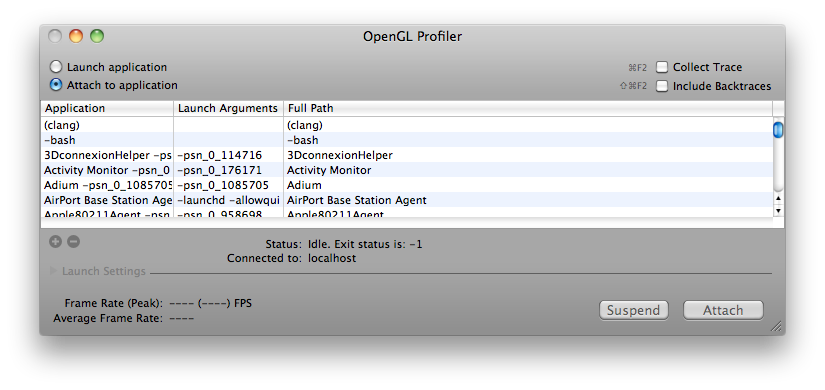
    So once you’ve downloaded the Profiler from Apple’s Developer Connection, open it up and you’ll see this:

    (Click for Larger)

    Screen shot 2013-08-03 at 9.23.02 PM

    Next you should run the application you’re looking to dive into. Once it is running, it should appear somewhere in the list of currently running apps. Go ahead and select it and hit “Attach” – and now you have several options to explore. I’m using the openFrameworks “multishaderTextureExample” in this tutorial. Let’s take a look at looking at an application’s loaded Resources first.

    GL Resources:

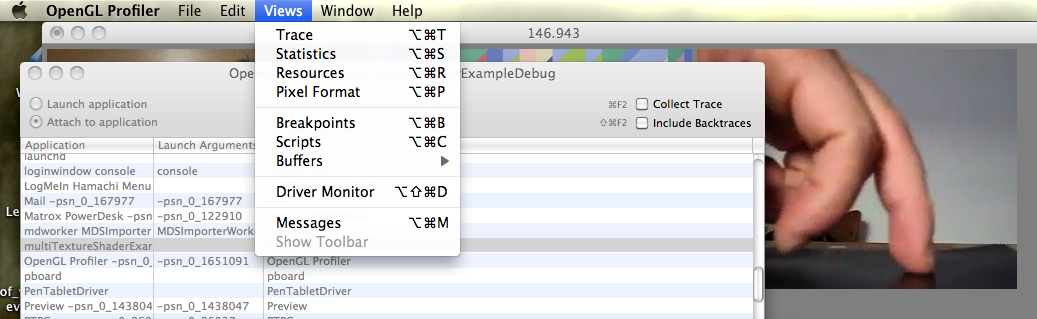
    In order to look at the application’s Resources, the application has to be stalled on a breakpoint, so let’s set that up. In the Profiler Menus at the top, pick “Views” and then “Breakpoints” and you’ll be greeted with a long list of different GL calls.

    Screen shot 2013-08-03 at 9.25.11 PM

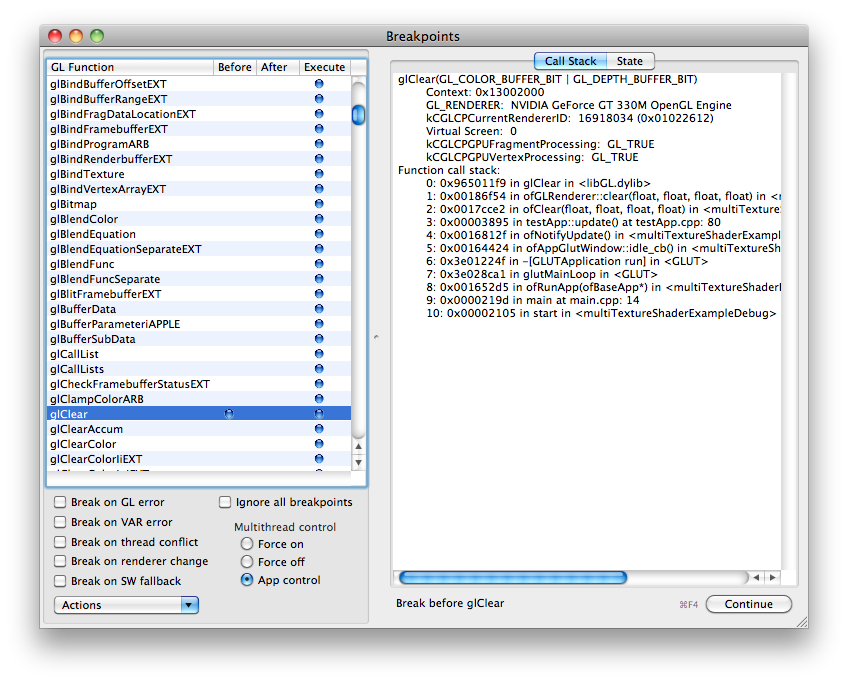
    Obviously if you’re looking to play with a specific GL call you can find the specific one you’re interested in, but I generally just go for a common call that I know HAS to be running in my app somewhere, even if I didn’t explicitly call it. My fallback is glClear because the screen usually has to get cleared sometime…

    Find glClear in the list of glFunctions, and when you’re ready, click in that row next to either “Before” or “After” and a blue dot will appear and your application will pause. To reverse this, remove the blue dot by clicking, and click “Continue”

    Screen shot 2013-08-03 at 9.25.47 PM

    Also, while you’re here…have a look on the right side of the Breakpoints window and select the State tab, and this will let you look at all the currently enabled or disabled GL states like depth testing, GL Point Size, GL Line Width etc etc.

    Now you can pry it open and look at what exactly was going on at the moment of pausing. Go back to the “Views” menu at the top and select “Resources”

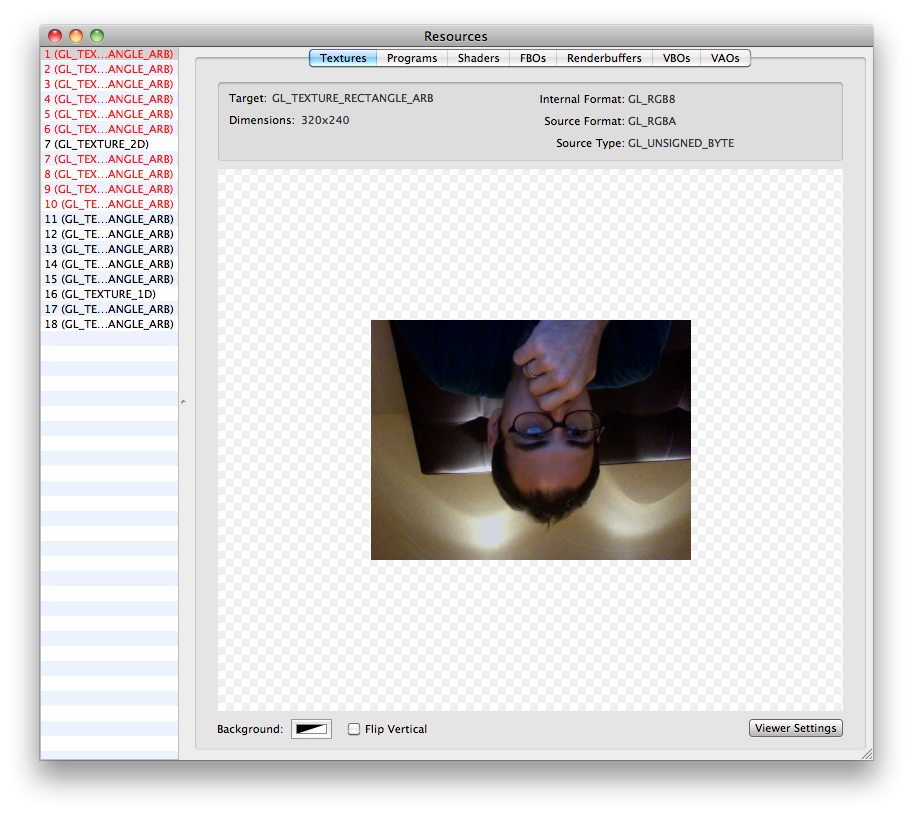
    Now you can see a huge list of options for the graphics resources that have been loaded for your application.


    The “Textures” tab in Resources will show you almost all of the currently loaded textures in your application, useful if you’re working with a lot of loaded static images. Everything will appear upside down, but that is just how it is loaded in GL.

    Screen shot 2013-08-03 at 9.39.51 PM

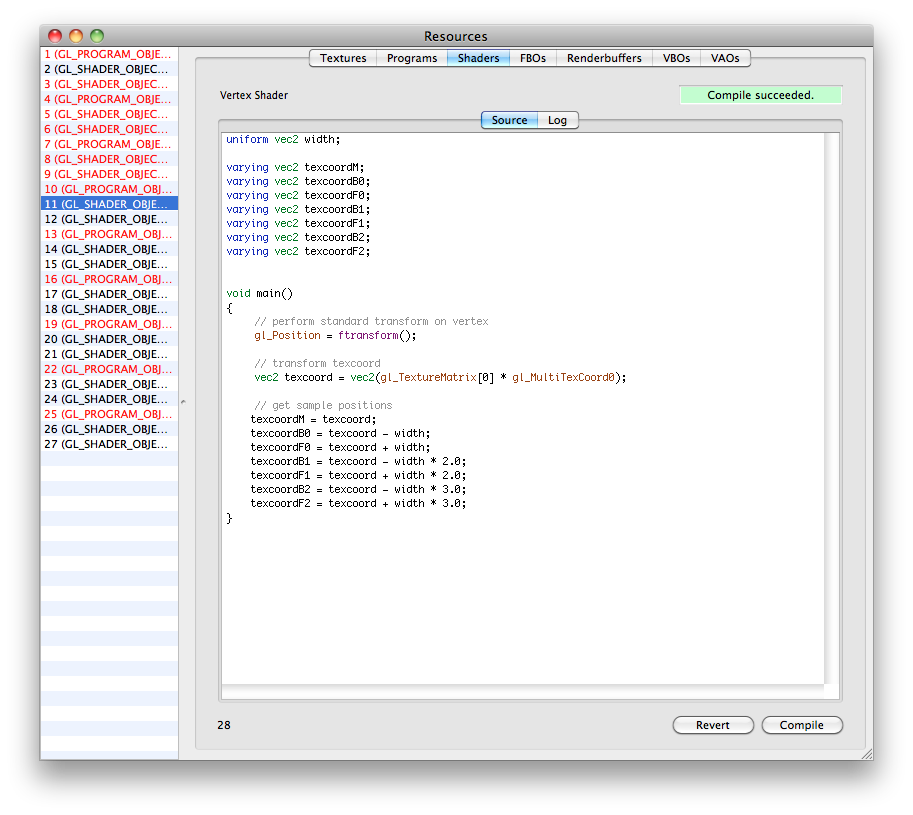
    The “Shaders” tab will actually let you look at the GLSL code of your loaded fragment and vertex shaders. This is useful if you need to track down compile errors or any other weird things about how the shaders might be loaded. The log will show some warnings about the issues with your shader variables and things of that nature. You can also change the code and recompile shaders on the fly while your app is running if necessary. To do live shader editing from GL Profiler, (1) find the shader you’re working on in the list, (2) change the code (3) hit “Compile” (4) back in the “Breakpoints” window – Disable the breakpoint, and (5) click “Continue” to start the app again with your updated shader code. It should now run with whatever changes you made if it compiled successfully.

    Screen shot 2013-08-03 at 10.22.45 PM

    You can also look at the info for your FBO’s, VBO’s and other topics if necessary.

    Statistics:

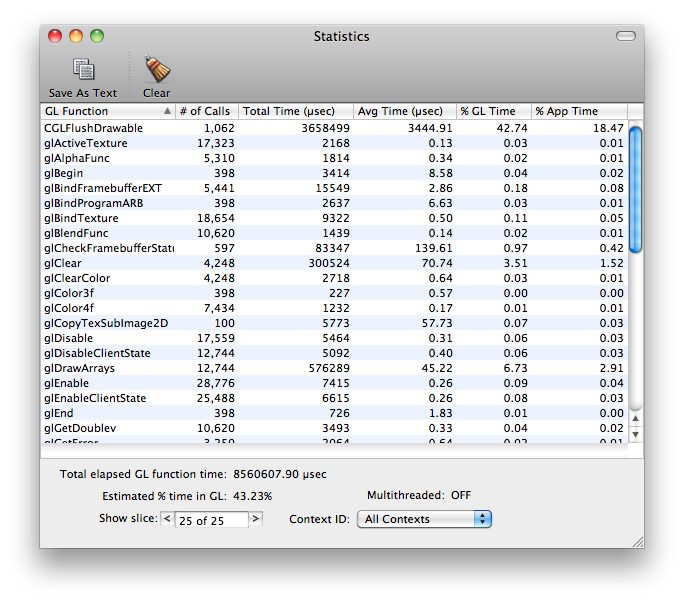
    You can also have a look at your application’s GL statistics to see what calls are taking up the most time within the application. This is useful if you just added something that is suddenly bogging down your app, and then you can see that you’re now calling glVertex3f a few hundred thousand more times than you were a second ago..whoops. This can also give you an idea of what calls are taking the longest to actually execute…like glGetTexImage for example.

    To look at statistics, you don’t need to do the Breakpoints method, just select Statistics from the menu while your application is attached and running.

    Screen shot 2013-08-03 at 9.43.46 PM

    Trace:

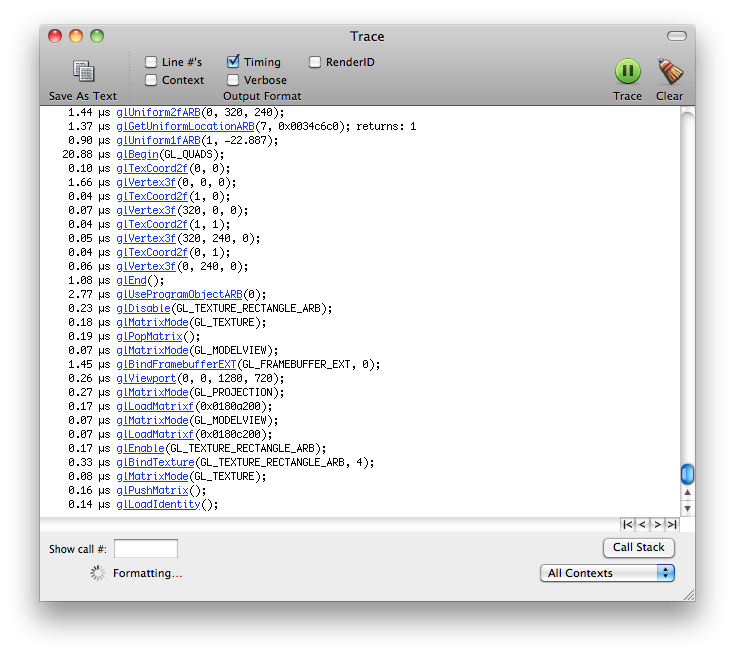
    This is essentially a different view of the Statistics page, but it lays out the different GL calls in chronological order. You can use this to have a really fine detail view of what is going on in terms of when your GL calls are being executed and in which order (eg Why is glClear being called there? Oh THAT’s why it’s drawing black right now).

    Screen shot 2013-08-03 at 10.10.05 PM

    —————

    I hope that gives you a good introduction to the OpenGl Profiler tool for working with your own applications, please share any more informative or helpful tips in the comments below…thanks!


  • Sonic Prints

    Sonic Prints


    THIS PAGE IS OUTDATED!! Check the new post here and download the software to try for yourself!


    Using openFrameworks and ofxFFT to generate 3D Meshes of sound data for use in 3D printing.

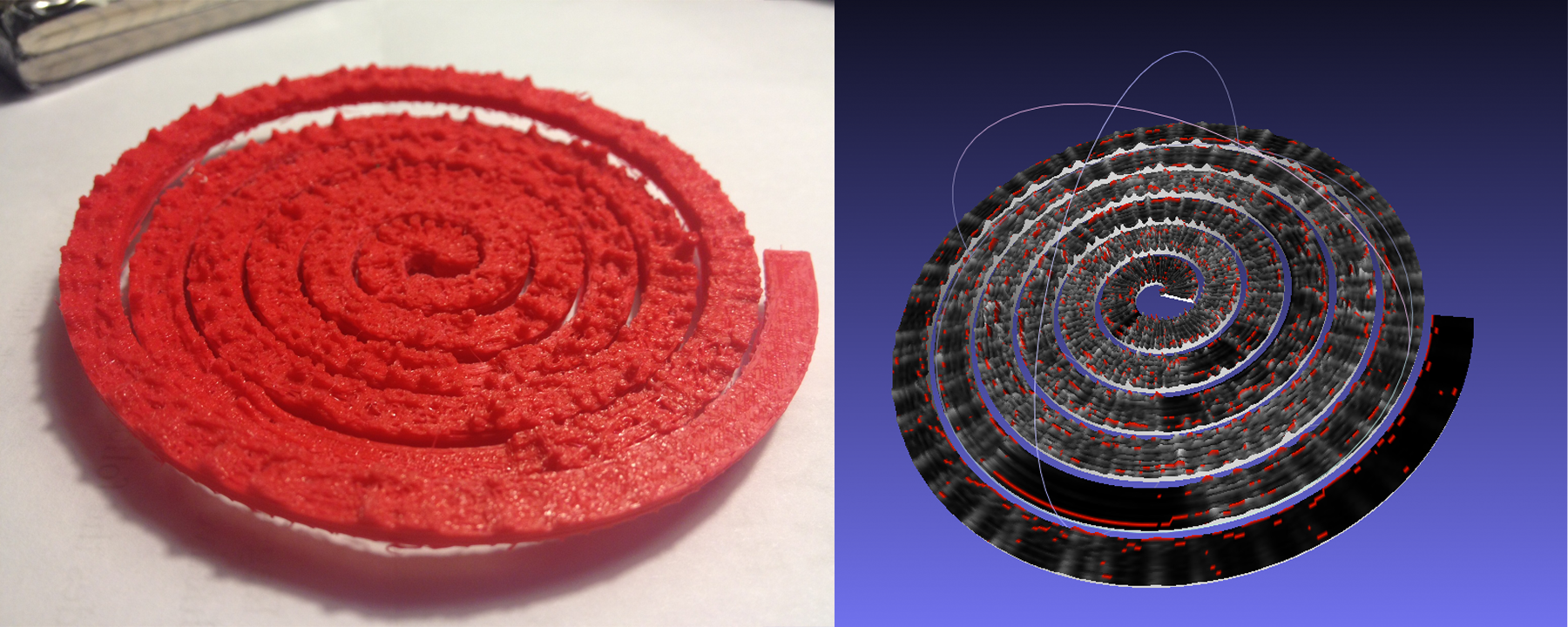
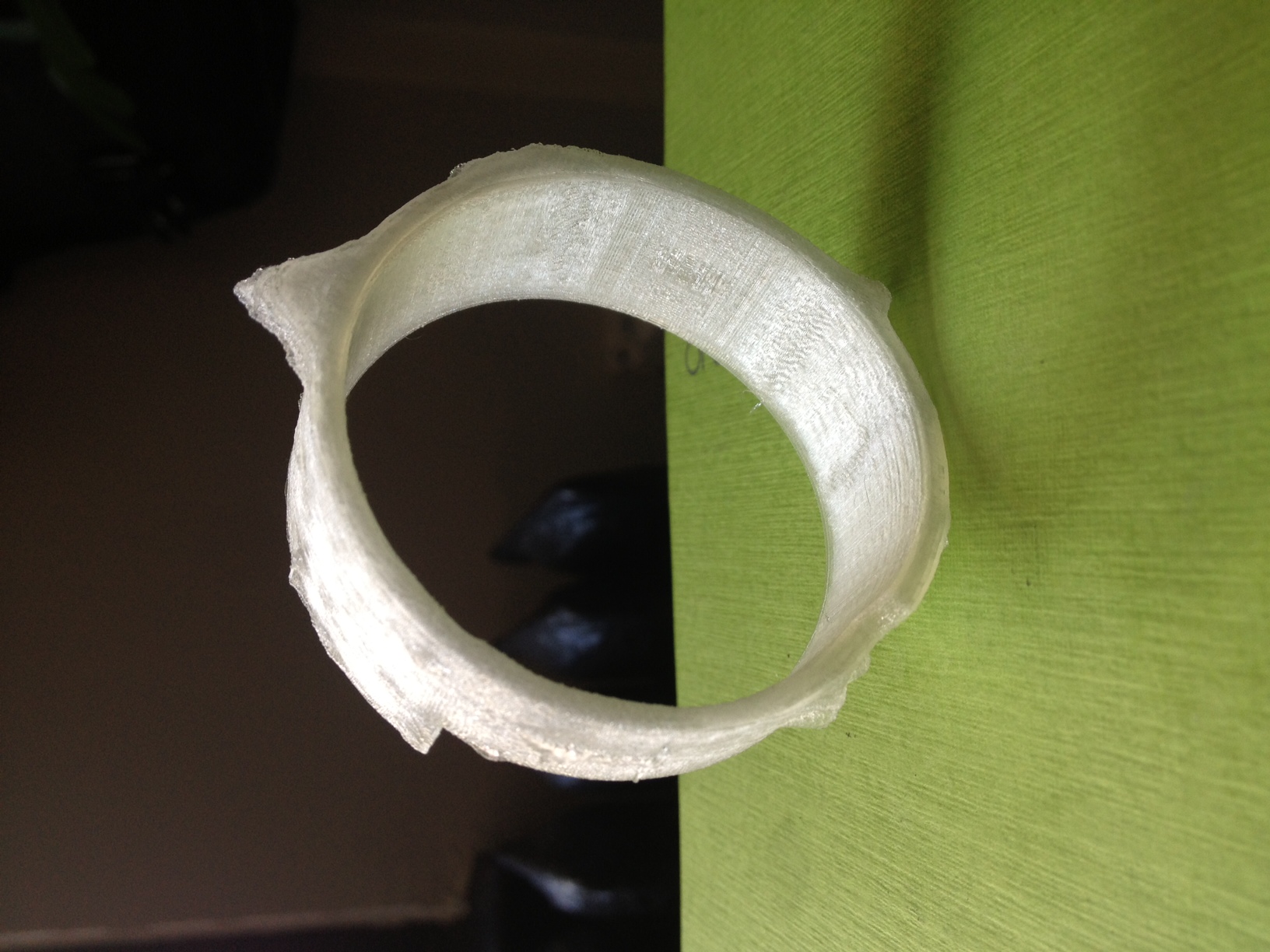
    This is very much a work in progress, but just wanted to share some initial results while I work on the final visual output. I have done some initial prints (see below) but have found that I’d like to make some much larger prints to be able to really get the detail out of the generated models. This project is interesting for me because it allows me to look at the structure of a song in a different way than a musical score or just a volume intensity graph like we’re used to.  I can also play with the idea of making physical objects out of songs in a different way than burning a CD, pressing a vinyl or etching a wax cylinder.

    We will be releasing the source after I get rid of a few bugs and clean a few things up, just need time to make those adjustments. Then you’ll be able to tweak it and make your own 3D meshes for your own real-time music and sound input.

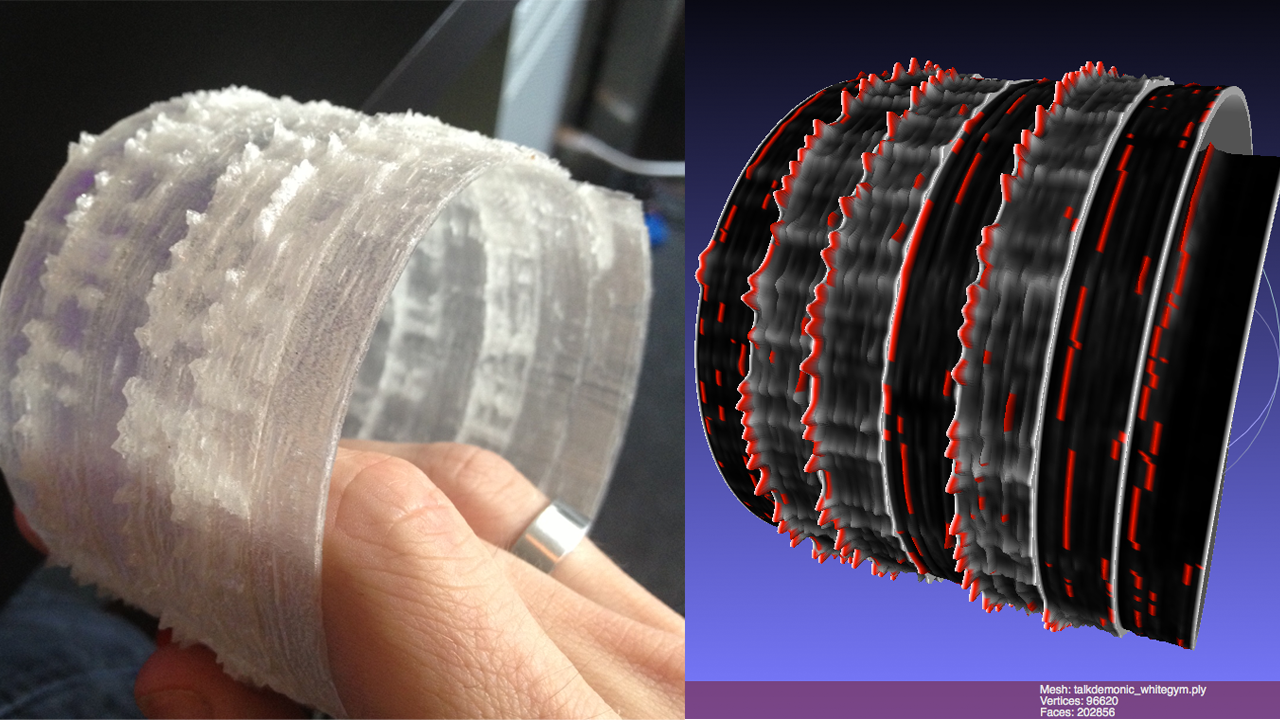
    The meshes are set up like this: left is generally the bass/low end, right is high end. Red or orange marks are the loudest frequency band at that particular time. White to black shows the relative volume intensity of the particular time. I can adjust the number of frequency bands it is looking at and make it more coarse or fine.

    If you would like one of the 3D mesh files to look at for yourself, I can send you a sample. The individual files are about 20mb so I don’t want to host them here yet.

    You can see some images of sample prints below, they are about the size of a bangle or bracelet.

    Sample prints now available on Thingiverse

    I have been doing this as a personal project and a side project where I work: www.fakelove.tv

    3DFFT Sonic Prints – Work in Progress from blair neal on Vimeo.

    Screen shot 2013-05-17 at 1.57.57 PM Screen shot 2013-05-18 at 7.14.48 PM annuals-3d-Print debugviewart kanye west - power Screen shot 2013-05-24 at 12.27.51 PM Son lux - all the right things 3d_print_test 3dFFT_print


    3DFFT _Sonic prints example – Son Lux – “Easy” from blair neal on Vimeo.

  • Doggifer

    Doggifer

    DoggiferIcon

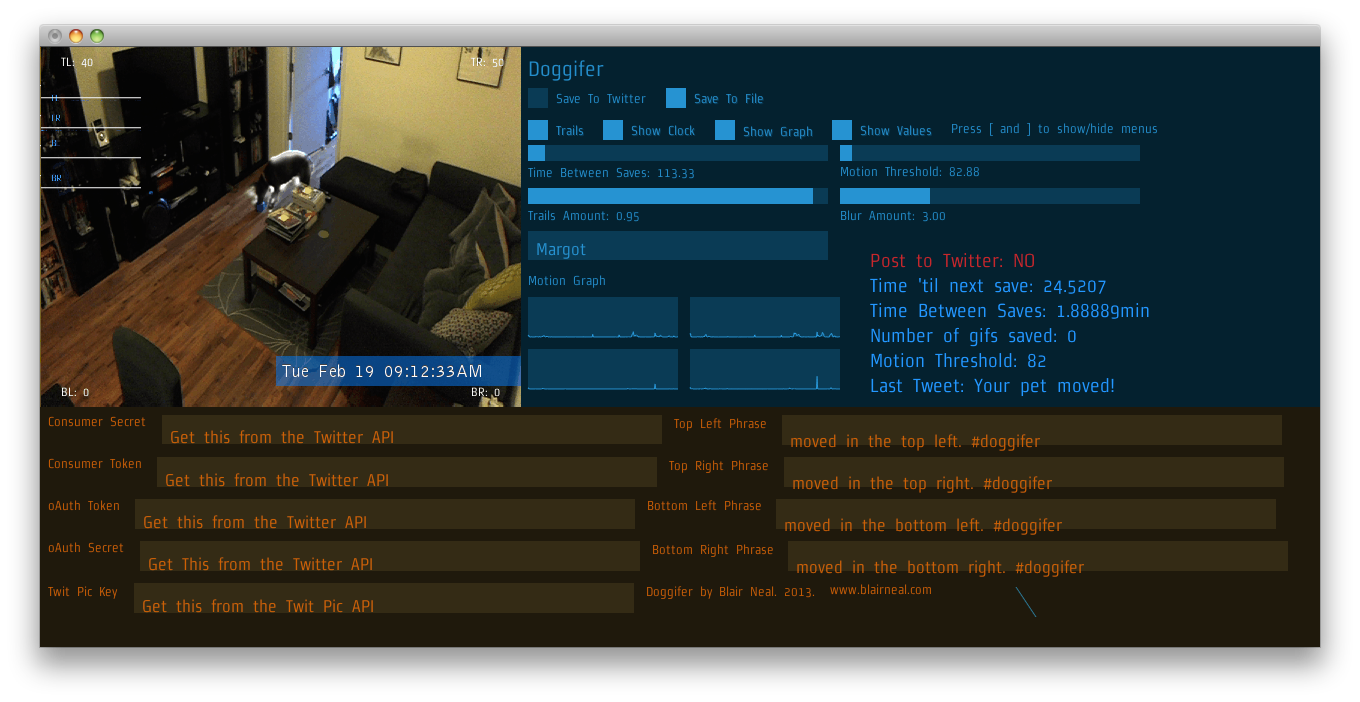
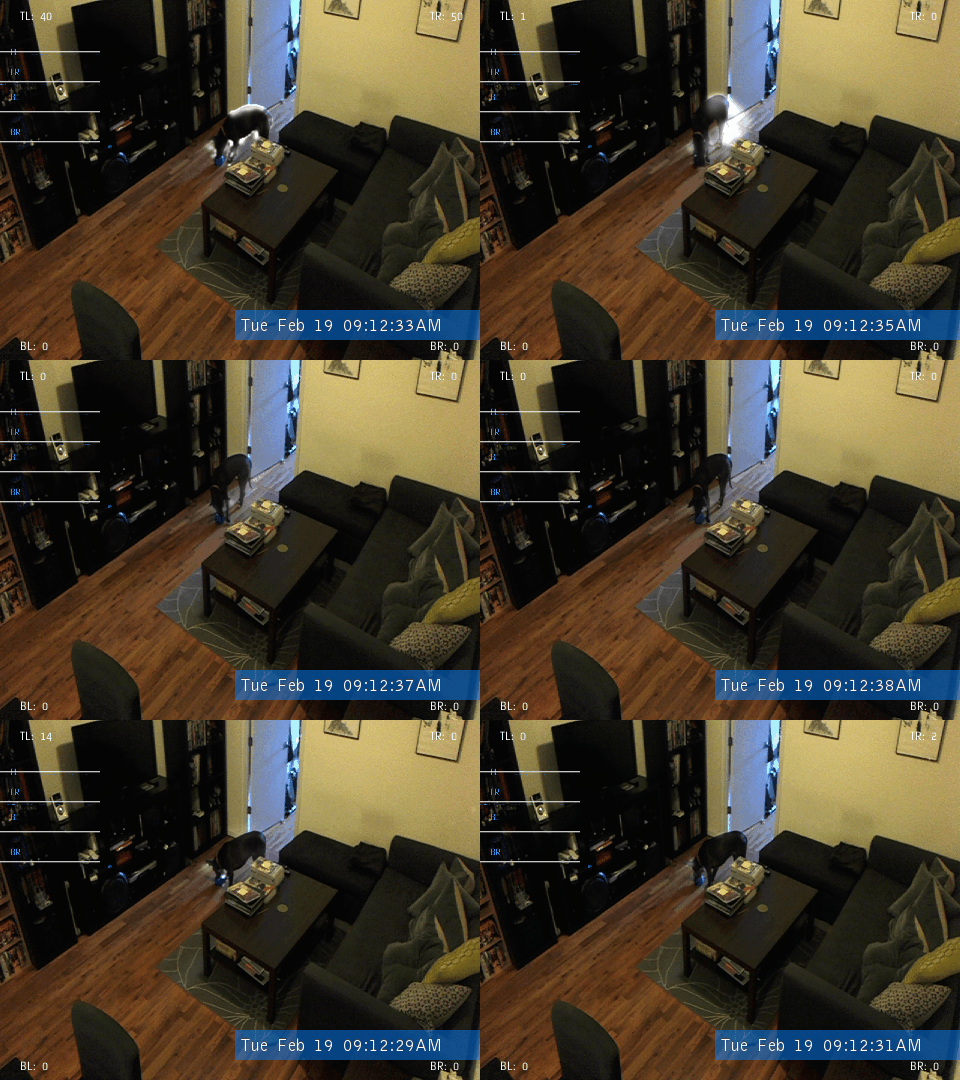
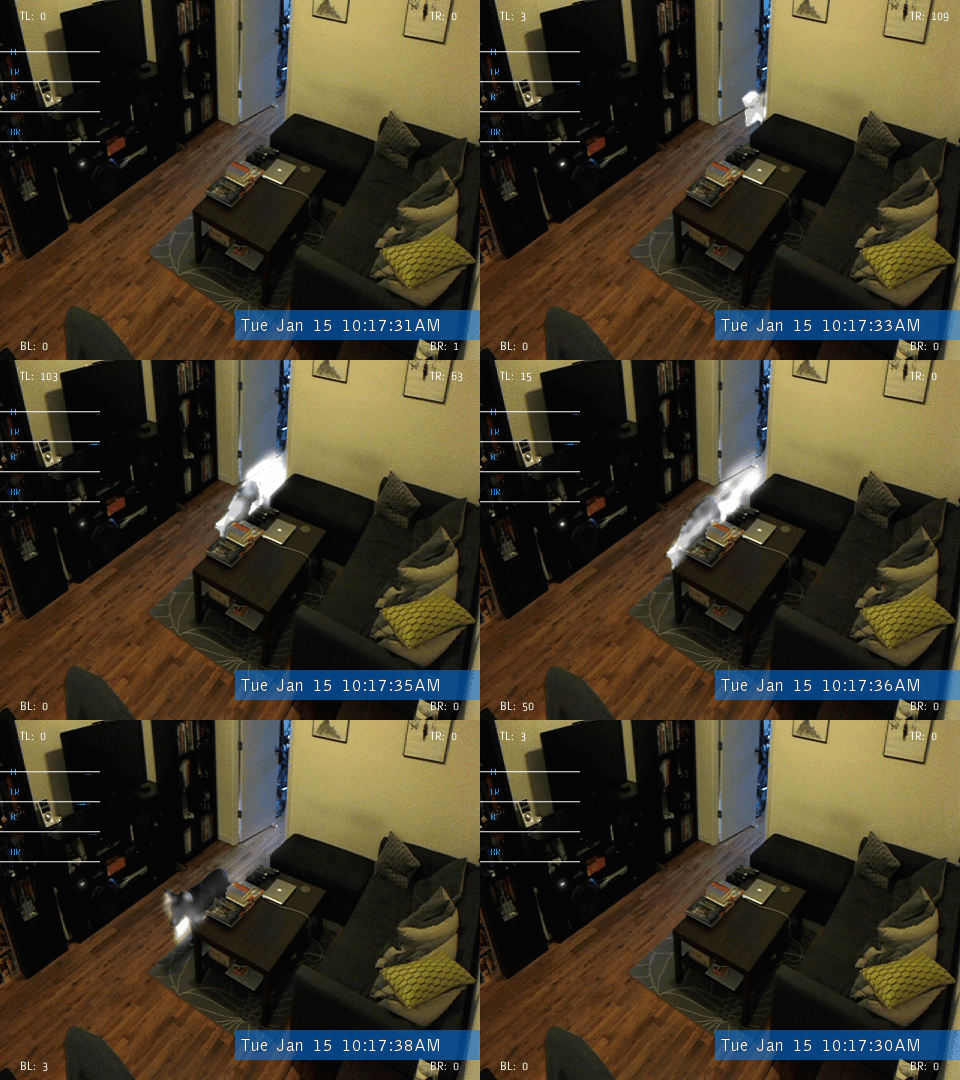
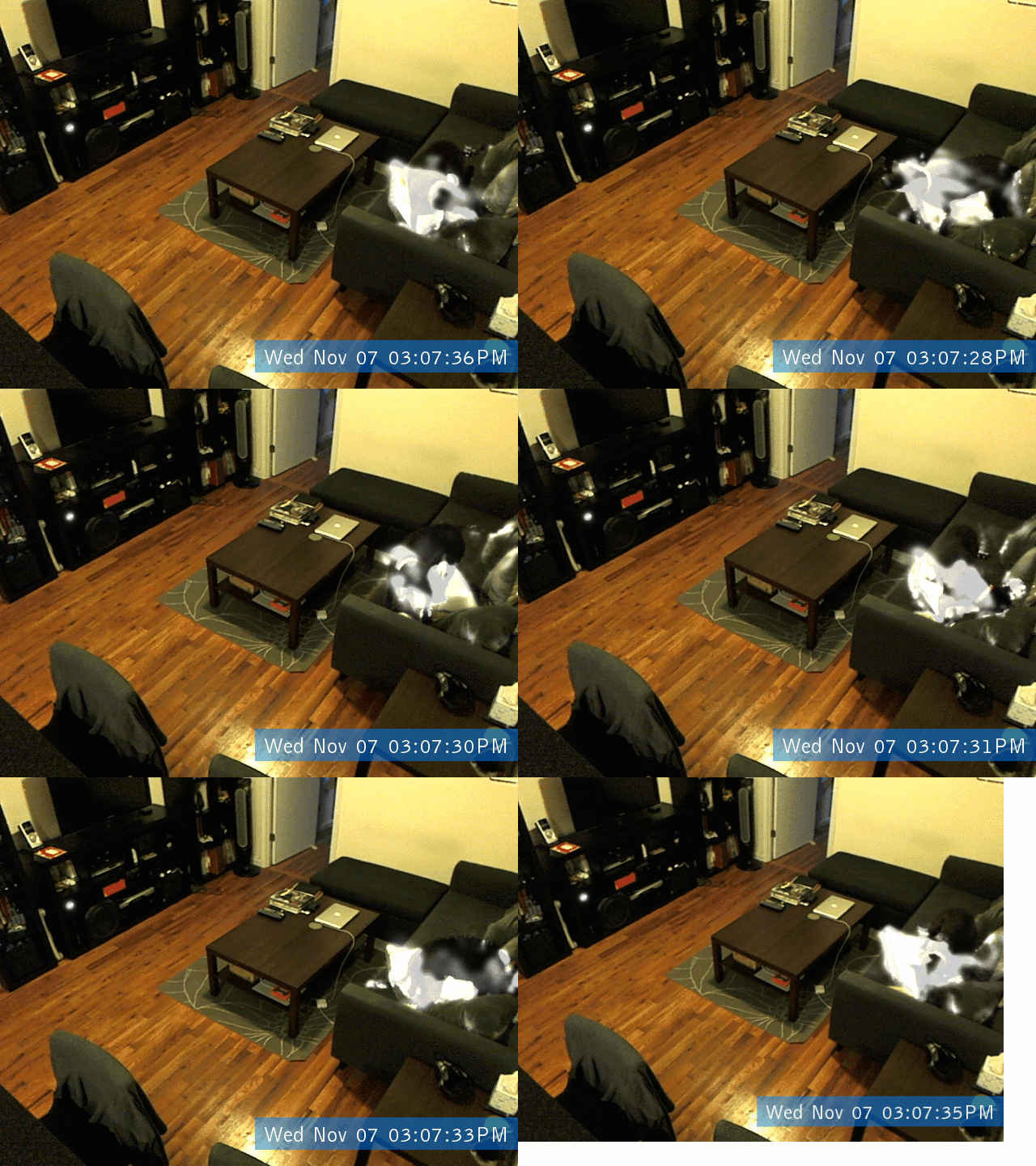
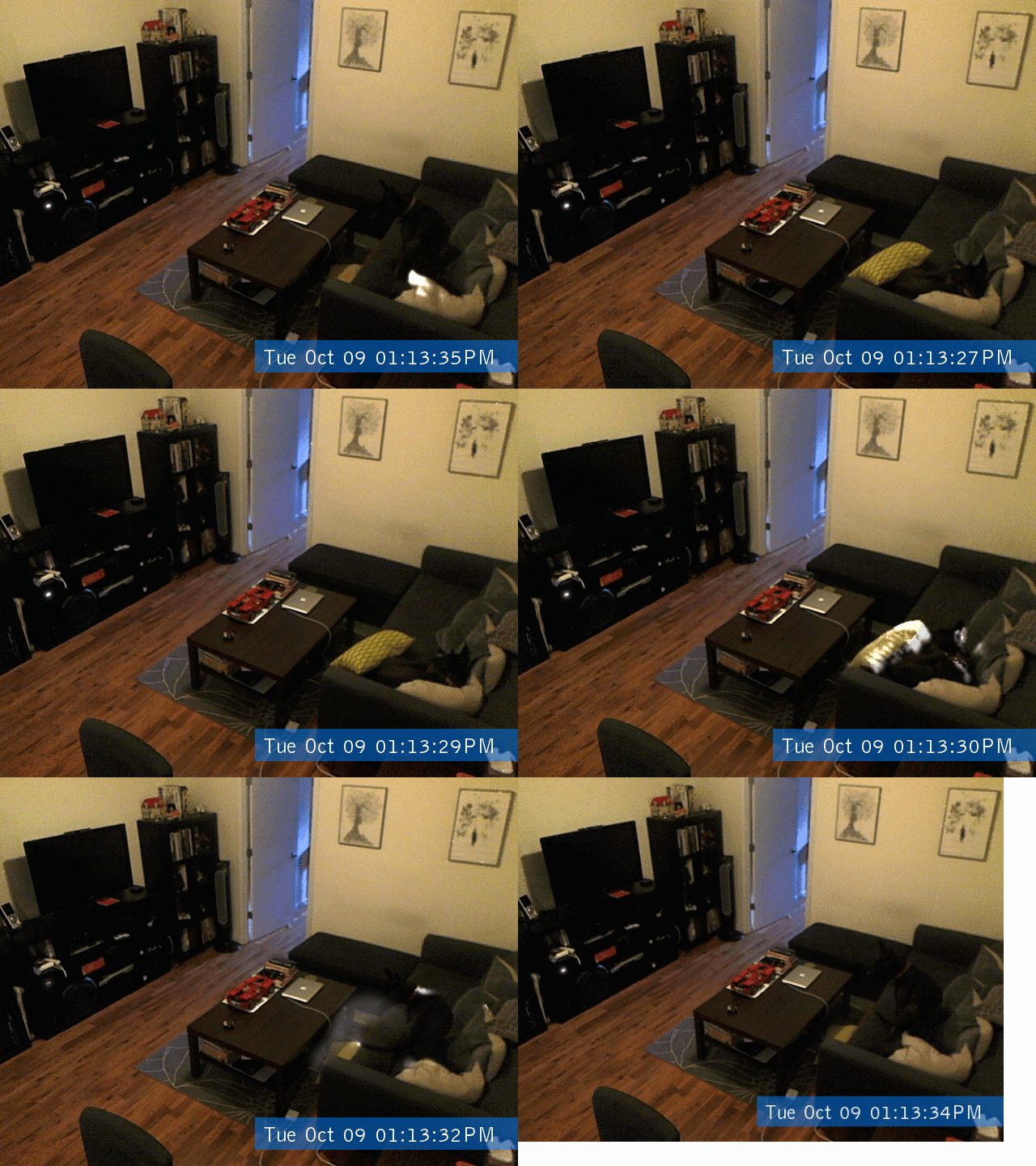
    Doggifer is an application that saves or tweets animated gifs of your pet’s movement’s throughout the day. It can also just be a general use toy for collecting automatically triggered animated gifs. You will need to set up a twitter account to use the twitter portion of the app. Instructions for setting that up are included in the readme file accompanying the app.

    Download Here: Doggifer v4 (2589 downloads )   (Only tested on OSX 10.6.8 but will run all day on a 5yr old laptop)

    You can see my dog Margot when we set up the cam at home @doggifer on twitter.

    Doggifer is made with openFrameworks and uses ofxUI from Reza Ali and ofxGifEncoder from Jesus Gollonet and Nick Hardeman.

    You can grab the source of Doggifer on my github and change stuff up as much as you’d like. Originally made with OF0073. Let me know if you have suggestions and I’ll do my best to add them. Let me know if you catch any good shots!

    If you do use Doggifer, I’m not personally asking for any compensation, but I (and many animals!) would really appreciate it if you donated to a local animal shelter instead. There is a very deserving no-kill shelter ( Sean Casey Animal Rescue ) in NYC that I’m a fan of and they would certainly appreciate your donations!

    DoggiferScreenshot
    734152129 717991804 683912867 669534709


    Creative Commons License
    Doggifer by Blair Neal is licensed under a Creative Commons Attribution-NonCommercial-ShareAlike 3.0 Unported License.