Author: laser

  • Top Albums/songs/etc. of 2012

    I’ve been doing a top 10 albums list since at least 2004 (see below for previous years lists). This year was another weird one for me in terms of discovering new music. The desire to purchase physical CD’s is at an all time low, so it was a big digital year for me. I started using Spotify a lot more than MP3s and my iTunes library even. That caused me to listen a little less on the go since I didn’t always have the mp3’s with me in subways and things like that…I think certain albums didn’t quite get the full time they deserved, but it was still an amazing year. Let me know if you have any suggestions for stuff to check out in the comments.

    This year wasn’t as exciting for me for music videos but I’m sure I’m forgetting a few gems…I will post a follow up eventually.

    Many of these albums are on a spotify playlist where I’m keeping albums I’m interested in. If you’d like to check them out in an easy to digest format, please check out or subscribe to my Ambient Signal~ spotify playlist: AmbientSignal~

    Here is my list of favorites and notables in a slightly particular order at the top and less particular towards the bottom.

    Top Albums (Bottom ones don’t mean they are bad albums, just that I liked them a little less in relativity to the others):

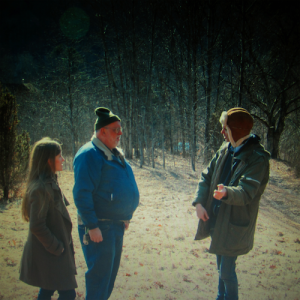
    Swing Lo Magellan

    ~~~~~Dirty Projectors – Swing Lo Magellan

    Favorite tracks: Just from Chevron, Socialites, Swing Lo Magellan

    I have not been a huge fan of Dirty Projectors in the past, but I think this album toned them down enough to make them within reach for me. Shows some fantastic, varied musicianship the whole way through without feeling like it is all over the place.


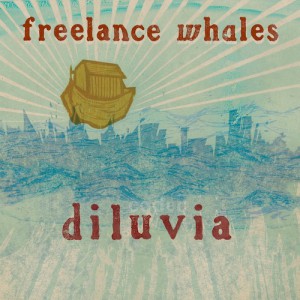
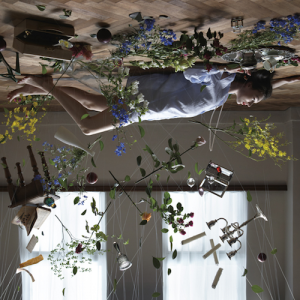
    Diluvia

    ~~~~~Freelance Whales – Diluvia

    Favorite tracks: Dig into Waves, Red Star, Follow Through

    The content of the album is a little hard to grasp or relate to because it’s mostly about space travel and ethereal BIG universal things, but the music has a lot of really fun things to let your musical mind play with and I found myself returning very often. Their album in 2010 was my top album that year so it was great to see them return so strongly in their sophomore effort.


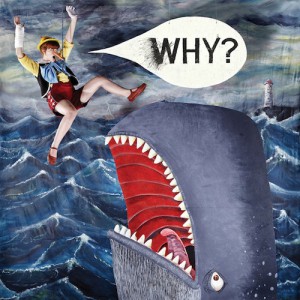
    Mumps, Etc.

    ~~~~~Why? – Mumps, etc.

    Favorite tracks: Sod in the Seed, White English, Strawberries

    This album actually manages to beat out Alopecia for my favorite Why? album so far which is a rare feat…especially when I originally considered Alopecia to be such a fantastic piece.


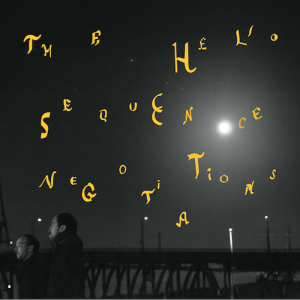
    Negotiations

    ~~~~~Helio Sequence – Negotiations

    Favorite tracks: October, One More Time, The Measure

    Hadn’t heard from these guys in years but was very pleased to get this amazing follow up from their 2008 Keep Your Eyes Ahead


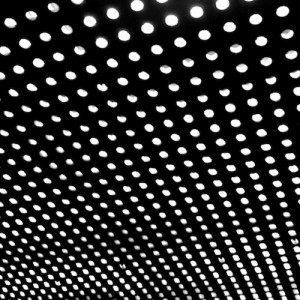
    alt-j

    ~~~~Alt-J( ∆ ) – An Awesome Wave

    Favorite tracks: Tesselate, Matilda, Breezeblocks

    This was one of those random finds that came out of a tumble through random music blogs and I was very intrigued right off the bat. His unusual voice isn’t for everyone, but there are some really interesting musical moments hidden in there. The most interesting thing about this album for me: drums are prominently featured but there is very little use of cymbals and no use of crash at all.


    Soft Fall

    ~~~Sun Airway – Soft Fall

    Favorite tracks: Black Noise, Close

    Had the pleasure of listening to this one early on and pitching a music video for Close. The album has a nice flow all the way through and some great repeating motifs that only come through on multiple listens.


    beach-house-bloom

    ~~~Beach House – Bloom

    Favorite tracks: Myths, Lazuli


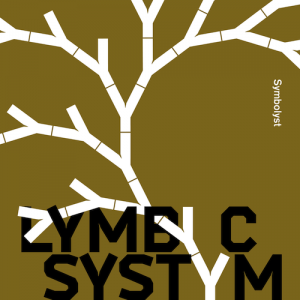
    Symbolyst-WV99-Cover

    ~~Lymbyc Systym – Symbolyst

    Favorite tracks: Prairie School, Nightfall, Falling Together


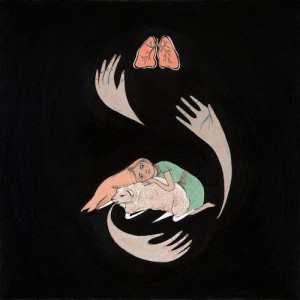
    purity-ring-shrines-cover-1346868884

    ~~Purity Ring – Shrines

    Favorite track: Fine Shrines


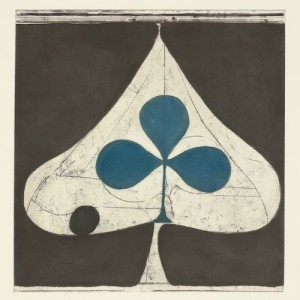
    Grizzly-Bear-Shields1

    ~~Grizzly Bear – Shields

    Favorite tracks: Yet Again, Simple Answer


     Notable as well:

    ~Hammock – Departure Songs

    ~Album Leaf – Forward/Return

    ~Sigur Ros – Valtari

    ~Balmorhea – Strangers

    ~Cat Power – Sun

    ~Menomena – Moms

    ~Dntel – Aimlessness

    ~Ramona Falls – Prophet

    Most anticipated albums of 2013: The Velvet Teen (recorded), Son Lux (not sure), Hooray For Earth (recording), Braids (recording I think), Blue Hawaii (releases in january), Annuals (touring..that’s something), Phantogram (recording/recorded I think)

    Previous lists:

    2011

    2010

    2009

    2008

  • Painterly Jitter

    (Click for  versions in their full 640 x 480 glory)Playing around with old code, feedback loops and Andrew Benson’s always fun optical flow shaders. Sometimes stills of unusual systems are nicer than the thing in motion…

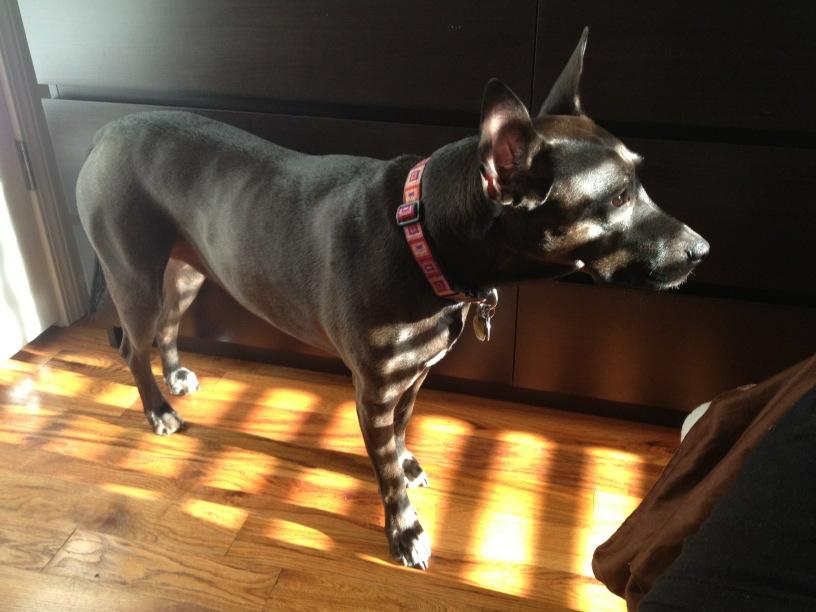
  • Structured light scanning the dog

    or she’s just looking through window blinds…there is no way she’d stay still long enough. Would love to see some Kinect point cloud pet portraits though…

  • How to make an installation stay up 4evr (Mac OS X version)

    THIS ARTICLE IS OUT OF DATE – The most up to date version of this article for OSX 10.10 and beyond will be kept on Github now – feel free to add things or comment there!: 

    https://github.com/laserpilot/Installation_Up_4evr


    It is also part of the fabulous ofBook – a guide to openFrameworks, C++ and other useful creative code tips


    NEW: Part 2 of How to Keep an installation up Forever – how to do process logging and emailing yourself on crashes

    UPDATED: Added launchd boot option and some other system preference tips

    (if you’re looking for help with this task with Windows, check out this awesome script StayUp from Stephen Schieberl. And check out this great step by step from EVSC: http://www.evsc.net/home/prep-windows-machine-for-fulltime-exhibition-setup ).

    At work I recently had to set up a four installations of different configurations that would need to run all day, every day, 24 hours a day for a couple months with as few crashes or glitches as possible and without anyone going to check on them. This is something that a lot of media artists need to do all the time, and there are a bunch of different tricks and tips to keeping things up for an extended period, I figured I’d share my findings. There are alternate ways to do many of these tasks and this is only one road so please share some tips you’ve picked up out in the field down in the comments box below.

    I had to do several searches in a couple different places to find all the information I needed to keep everything consistently up and bug free. Luckily most of the installations I was dealing with this time were fairly light in terms of resources and complications, but it’s always best practices to have a safety net.

    I usually run these off brand new, unboxed computers so this is sort of starting from scratch. Most of the things I point out are set to the opposite by default.

    Tip: if you’re doing multiple computers, do these prep steps on one of them and just boot the others into target disk mode and use something like Carbon Copy Cloner to mirror the first one on the next so everything is as consistent as possible.


    Step 1: Prep your software and the computer

    When building your software or whatever it might be, always keep the long running installation in mind. Plan which things will need to be adjusted by whoever is watching over the installation from the beginning (or at least don’t save it for the end). In my experience, keep it as simple as possible, so that it’s easy for the caretaker to get in there to fix or adjust what they need without opening Xcode and compiling or even exiting out of your app. Time you spend now to make things simple will save you hours of remote debugging when something breaks.

    You’ll need to go through and turn off or disable several different automatic settings to keep things from popping up over top of your application. This can differ depending on whether you’re running 10.6, 10.7, 10.8 etc etc.

    In System Preferences:

    •••Desktop and Screensaver: Disable Screensaver. Set it’s time to “Never”

    •••Energy Saver: Turn Display Sleep and Computer Sleep to Never. Enable “Start up automatically after power failure” and “Restart automatically if the computer freezes” (these are only available in 10.7 and later…not exactly sure how reliable they are, have not used them myself yet)

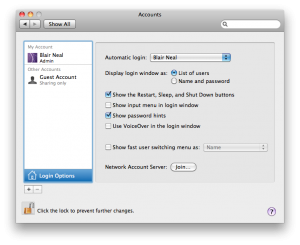
    •••Accounts: ->Login Options: Enable Automatic Login

    •••Software update: Disable automatic updates.

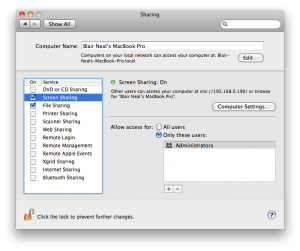
    •••Sharing: (optional if you’re concerned about security). If you are running these without a monitor or in an inaccessible area, don’t forget to turn on file sharing and screen sharing so that you can just plug an Ethernet cable into the install computer and your laptop and be able to use screen sharing to control the computer without a mouse and keyboard but with low latency.

    •••Network: If you don’t need remote access or don’t need Internet access for the installation, it’s not a bad idea to disable the wifi so the “please select a wireless network” window doesn’t pop up when you least expect it.

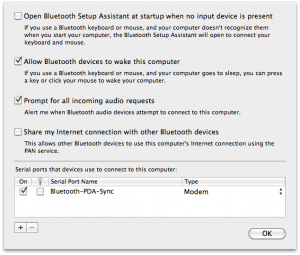
    •••Bluetooth :If running without a mouse or keyboard plugged in, sometimes you can get the annoying  “Bluetooth keyboard/mouse setup” pop up over your application. You can temporality disable these by going to the advanced settings within the Bluetooth Preferences. See below for it’s location in 10.6.

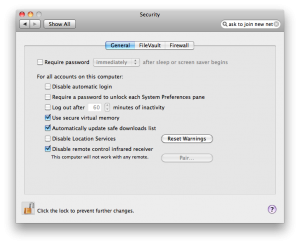
    •••Security: If you’re really paranoid, you can even disable things like the IR remote receiver that still exists on some macs and definitely on Macbooks. This would keep pranksters with Apple TV remotes from “Front Rowing” your installation. To disable, go to your Security->General tab (Security->General->Advanced (at the bottom) on 10.8) and “Disable remote control IR receiver”.


    (Click the image for the full size version)

    Step 2: Boot into your software

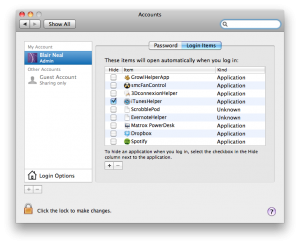
    Things get unplugged, power goes out, not everyone has budget or space for a battery backup etc etc. Above, I covered how to have everything reboot automatically after power failures or freezes, but you’ll also need your app to be ready to go from the start and not leave the desktop open to prying eyes. In the System Preferences “Accounts” panel, select “Login Items” and drag your application into there to have it open automatically on launch and strip out whatever you don’t need.

    (Click the image for the full size version)

    Step 3: Keep it up (champ!)

    There are several ways to make sure your application goes up and stays up

    •••Launchd

    Alternate method that is a little simpler using a Launch Agent plist to have things be launched automatically on boot and continuously if they go down. Launchd plists are very useful alternatives to cron jobs and can be used to run things on a periodic basis or on calendar days. You could achieve similar results with a combination of automator and iCal, but it depends on what you’re comfortable with.

    Here is an Apple Doc on using Launch Agents and Launch Daemons in various ways.

    The difference between a Launch Daemon and a Launch Agent (Basically whether you need it to run when a user is logged in or not…for most simple options like launching a regular app, you’ll just want a Launch Agent)

    A launchd example from admsynhttps://gist.github.com/4140204

    (Tip from James George below in comments): Of course you could make the launchd plist yourself for free from a template like above. One quick method to setting up Launchd is to use Lingon ($4.99 in the App Store)

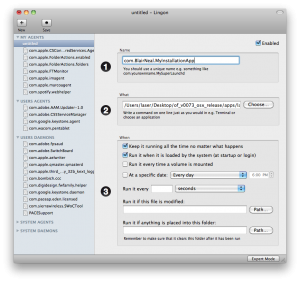
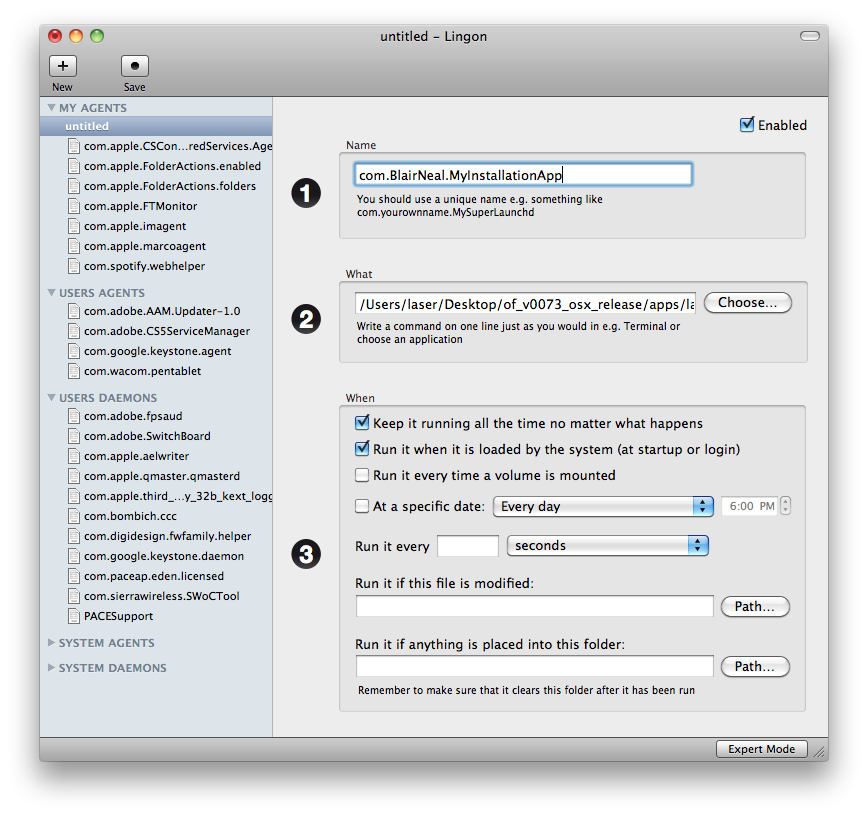
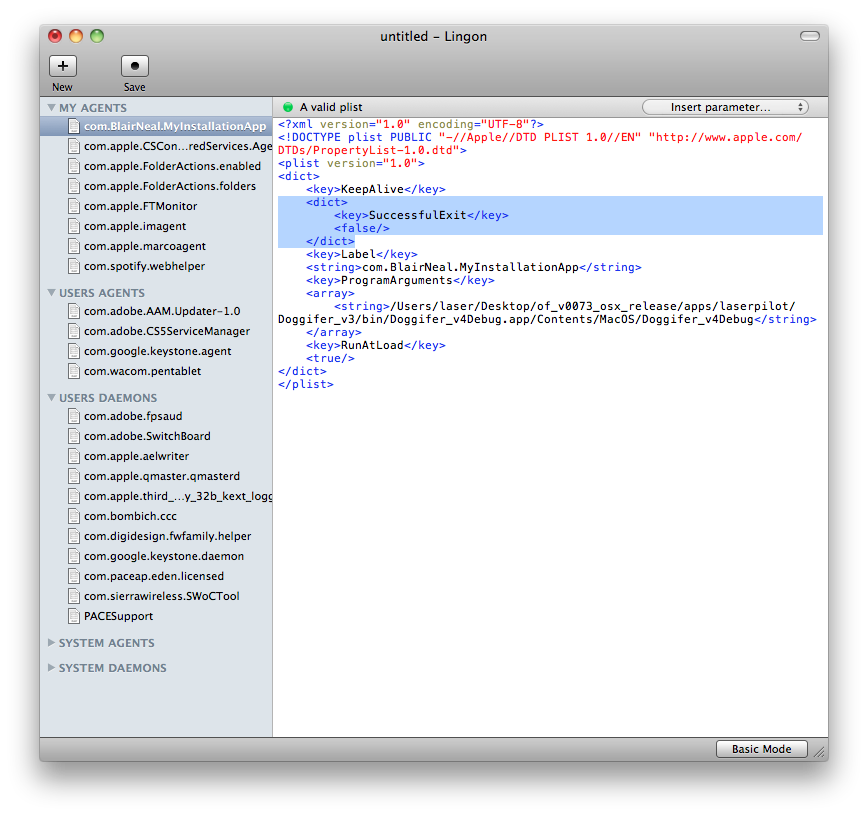
    In Lingon, hit the + to create a new launchd plist. Just make it a standard launch agent. Now Set up your plist like so:

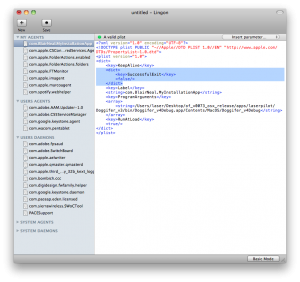
    One additional/optional thing you can add to this is to put an additional key in the plist for a “Successful Exit”. By adding this, your app won’t re-open when it has detected that it closed normally (ie You just hit escape intentionally, it didn’t crash). Can be useful if you’re trying to check something and OS X won’t stop re-opening the app on you. To easily add this to the key, just hit “expert mode” on the bottom of the Lingon window after selecting your newly made script on the left. Then modify the relevant bits highlighted in the screenshot:

    •••Shell script+Cron Job method

    (I got the following super helpful tip from Kyle McDonald)

    In this step, shell scripting is your best friend. With the help of the script below and an application called CronniX , you will be able to use a cronjob to check the system’s list of currently running processes. If your app does not appear on the list, then the script will open it again, otherwise it won’t do anything. Either download the script or type the following into a text editor, replacing Twitter.app with your app’s name and filepath. Don’t forget the “.app” extension in the if statement!:

    #!/bin/sh
    if [ $(ps ax | grep -v grep | grep "Twitter.app" | wc -l) -eq 0 ]
    then
           echo "Twitter not running. opening..."
           open /Applications/Twitter.app
    else 
    	echo "Twitter running"
    fi

    Save that file as something like “KeepOpen.sh” and keep it next to your application or somewhere convenient. Download the script here: [Download not found]

    After creating that file, you’ll need to make it executable. To do this, open the Terminal and in a new window type “chmod +x ” and then enter the path to the shell script you just created (you can either drag the shell script into the terminal window or manually type it). It would look something like this:

    Laser-MacBook-Pro:~ laser$ chmod +x /Users/laser/Desktop/KeepOpen.sh

    After you have made it executable, you’re now ready to set it up as a cronjob. Tip: to test the script, you can change the extension at the end to KeepOpen.command as an alternative to opening it with Terminal, but the same thing gets done.

    Cronjobs are just low level system tasks that are set to run on a timer. The syntax for cronjobs is outside of the scope of this walkthrough, but there are many sites available for that. Instead, the application CronniX can do a lot of the heavy lifting for you.

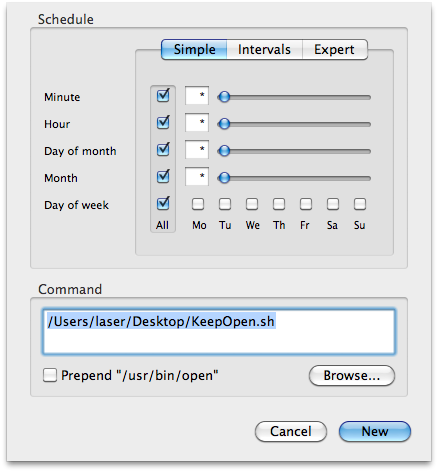
    After downloading CronniX, open it up and create a new cronjob. In the window that opens,  in the command window, point it to your KeepOpen.sh file and  check all of the boxes in the simple tab for minute, hour, month, etc. This tells the job to run every minute, every hour, every day, every month. If you want it to run less frequently or at a different frequency, play around with the sliders.

    Now just hit “New” and then make sure to hit “Save” to save it into the system’s crontab. Now if you just wait a minute then it should open your app every minute on the minute. Maybe save this one for the very end if you have more to do 🙂

    This is a great tool if there is an unintended crash because the app will never be down longer than a minute.

    •••Non Cronjob Shell method

    From comment below by Kris Meeusen:

    #!/bin/bash
    
    while true
    do
    #using open to get focus
    echo "Trying to open empty example"
    open -a emptyExample
    sleep 10
    done

    Just type this into a plaintext document and save it as something like “KeepMyAppAlivePlz.command” and then use chmod as above to make the file executable  and then drop this in your login items as  above. This one will just continuously try and open your app every 10ms, but if it is already open, the OS knows to not try opening it a second, third, fourth time.

    Make sure to check the Console.app for any errors that may have come through when no one caught them, whenever you check the installation in person or remotely. This is not a fix-all for buggy programming, just a helper to keep things running smooth. The more things you can do to leave yourself notes about why the crash happened, the faster you can address the core issue.


    Step 4: Reboot periodically

    This one is a little more preventative, or maybe superstitious so hopefully someone can point out a concrete reason why this is a good idea. Depending on your app and the amount of stuff it reaches into, there could be some memory leaks or other OS bugs that you haven’t accounted for. Rebooting every day or week is a good idea to keep everything tidy, system wise.

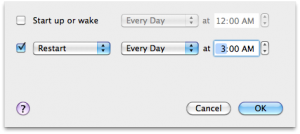
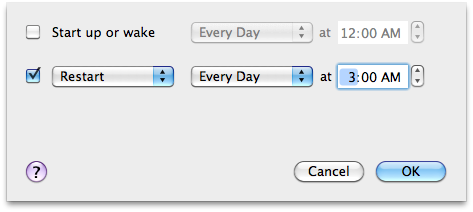
    The simplest option by far would be to go to System Preferences->Energy Saver and then click “Schedule…” and enter in some values if you need to turn the computer off to rest for a longer period of time to save it some stress when it might not be used at night time or something. Heat can do funny things sometimes, so if you have a chance to get your computer to rest and the time to test it, definitely give this a shot…saves some energy too which is nice.

    You could also set up another shell script with a crontab as above with CronniX that reboots the system with as often as you specify.

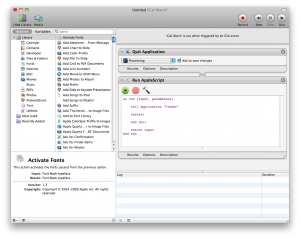
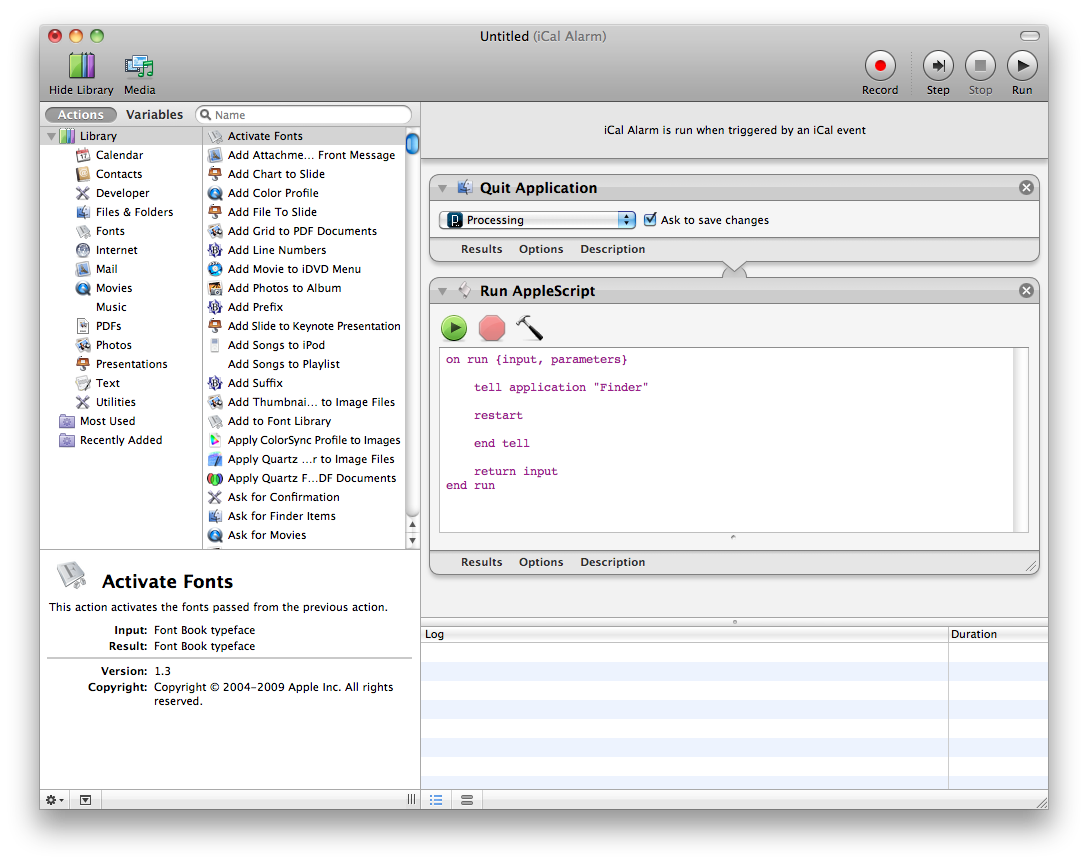
    Another option (if you don’t want to deal with the terminal and shell scripting) is to use iCal to call an Automator iCal event. This method is perhaps a little easier to schedule and visualize when you will reboot. Within Automator, create a new file with the iCal event template to do something like this:

    (Click the image for the full size version)
    Run it to see if it does what you expect and then save it out. When you save,it will open in iCal as an action that gets opened. Just set it to repeat as often as you’d like.

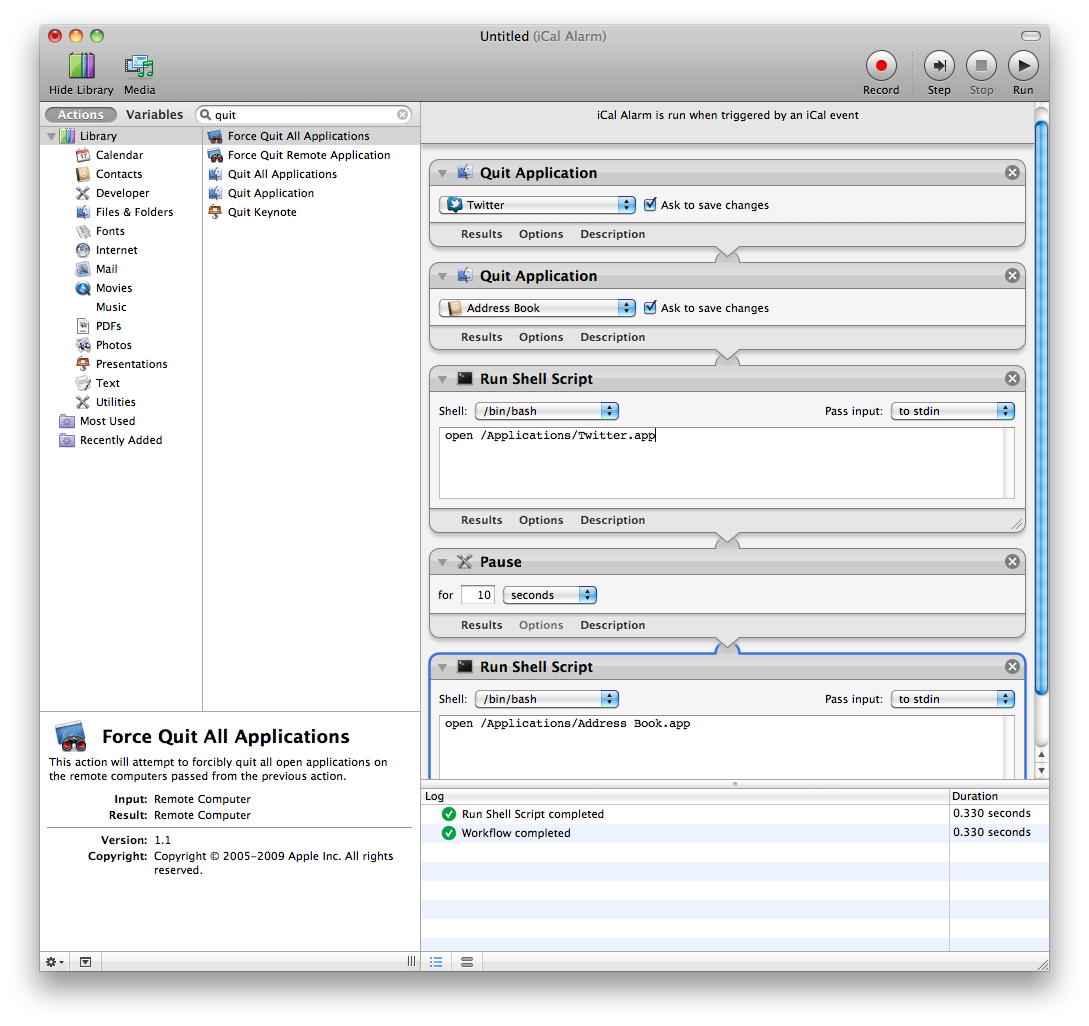
    If you’d like to just close your programs and re-open them and there is a background and foreground do something like this (pauses are so the quitting and re-opening stuff has time to actually execute):

    (Click the image for the full size version)

    Step 5: Check in on it from afar. 

    There are a bunch of options here from various paid web services (like Logmein or Teamviewer), to VNC (many options for this RealVNC tends to come up a bunch) to SSHing. The choice here depends on your comfort level and how much you need to do to perform maintenance from far away.

    Leaving a Dropbox connected to the computer and your own is super useful for file swaps between the two computers. Although most remote screensharing services have file sharing built in, Dropbox is just a nice, fairly transparent option.


    Step 6: Test, test, test. 

    You’ve already tested and perfected your software for the installation, so make sure to test all of the above methods and automatic scripts in as realistic manner as you can before you leave it alone for the first day at school.

    You can’t account for everything, so don’t beat yourself up if something does eventually happen, but this list will hopefully alleviate a little bit of frustration. Good luck!


    Other resources people have sent me:

    http://vormplus.be/blog/article/configuring-mac-os-x-for-interactive-installations

    http://www.evsc.net/home/prep-windows-machine-for-fulltime-exhibition-setup
  • GL Rotate and translate example (OpenFrameworks)

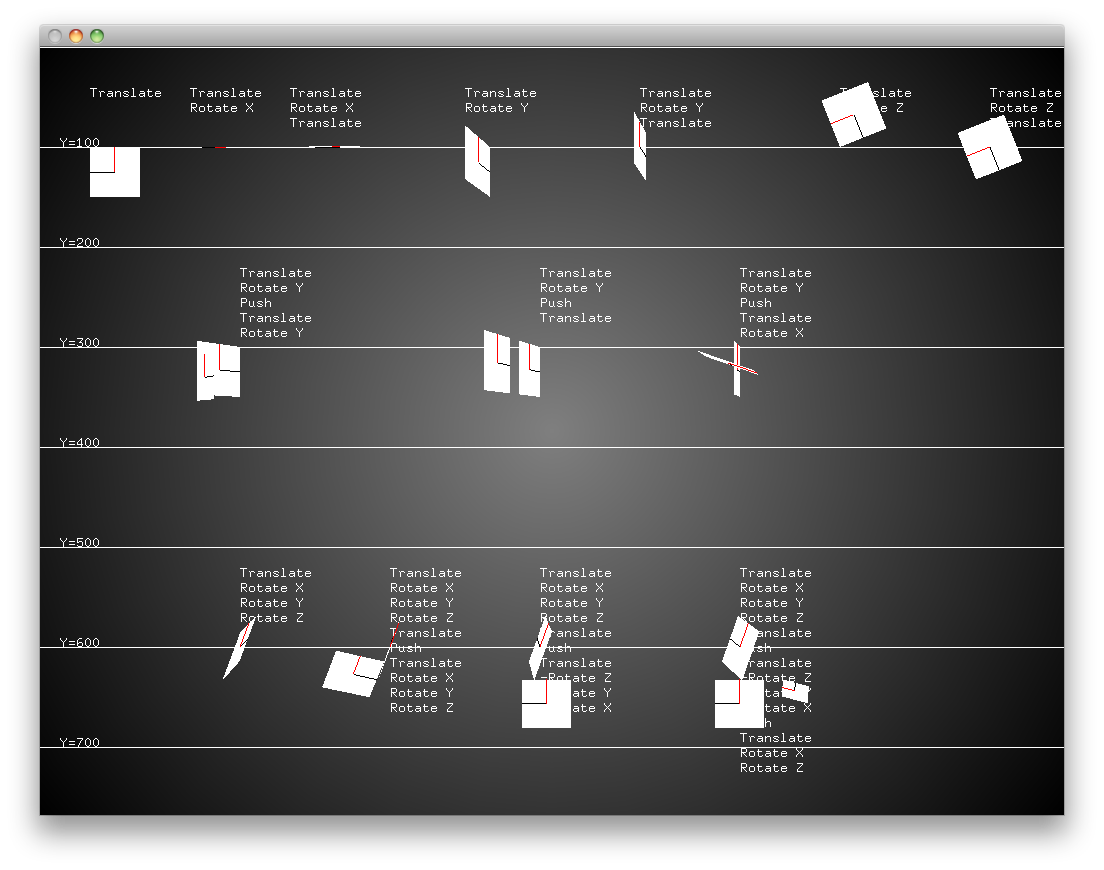
    I consistently seem to get myself confused by the order of operations when working with ofTranslate and ofRotate in openFrameworks and it feels like I have to re-teach myself each time I have to do something with those transforms.

    I made this simple bare bones cheatsheet program for myself to help show the differences between different rotate and translate orders, and I hope it helps others…hopefully will get time to post more low level tutorials like this in the near future with some of the more complicated matrix transforms/homography for projection mapping.

    Made with xCode and OF0072 but you should be able to just drop the “src” file into a Visual Studio Empty Example if you need to…enjoy!

    [Download not found]

  • Now on Github and Twitter!

    Been on github for a while, but probably a good idea to make an extra post here. Not a whole lot of useful stuff there yet, but hopefully will be posting some openFrameworks examples and stuff like that while I continue to work on that stuff.

    www.github.com/laserpilot

    www.twitter.com/laserpilot

  • Projection abstraction #1

    Projection Abstraction #1 from blair neal on Vimeo.

    Playing with a laser pico projector, quartz composer, and some colored gels

  • Canon2Syphon v1.6

    Canon2Syphon v1.6


    UNFORTUNATELY – I’m getting reports that this app now crashes in macOS 10.13 High Sierra. Unfortunately, I have no plans to support this app any longer, so I’m going to have to leave it up to the next person to take the Canon SDK and mash it up with Syphon…
    A sort of beta release for using your Canon DSLR with the amazing Syphon framework. This lets you use your DSLR live in VDMX, Modul8, MadMapper, and any Syphon enabled app!

    I will be releasing the source soon, but it is literally just taking Kyle McDonald’s ofxEDSDK and the ofxSyphon addon and putting them together if you want to make something yourself. I also can’t release the EDSDK and you would have to grab it yourself from Canon’s developer website.

    Should work fine with most DSLR’s. Currently tested with t1i, t2i, t3i…and will hopefully work with 5D and 7D

    Let me know if you have issues or suggestions!

    UPDATE: v1.1 – camera stream now resizeable. icon tweak. Still working on crashing issues.
    UPDATE v1.11 – new/prettier icon from awesome user Simas Gineika. Other updates coming soon, like render to texture instead of window..just working on resizing issues

    UPDATE: v1.2 – Added render to texture instead of window…doesn’t seem to improve performance for me, but may help some people? Also added the ability to set a custom syphon server name.

    UPDATE: Bangnoise has created their own canon->syphon bridge that I can only assume is more fully featured/reliable than mine…going forward I’d say to check their solution out instead: https://github.com/v002/v002-Camera-Live

    Contact me for OLDer versions in case 1.2 doesn’t work

    NEW VERSION 1.6 – OSX 10.8 and above ONLY (stops working after 10.12) – Uses EDSDK 2.13.2 and now uses Cinder in the core – this has the advantage of only using 50% CPU as opposed to 150% in the previous version. It now uses these addons from Red Paper Heart and Astellato

    Canon2Syphon_v1.6.zip (13192 downloads )

    Version 1.5 – OS X 10.7 and above ONLY – should now support T5i and newer cameras – uses EDSDK 2.13. Runs 24fps/15cam FPS on my 2010 Macbook Pro with a lot of CPU usage – may close after 10min – Program has issues closing it’s threads properly and may need to be force quit. Use at your own risk.

    [Download not found] – 30mb download


    OLD VERSION 1.2 – OS X 10.6 and above but only supports T2i and similar aged cameras (maybe t3i)

    [Download not found]
  • Top Music Videos of 2011

    (no particular order)

    Bon Iver – Calgary (really awesome environment..love the reveal at the end)

    Battles – My Machines (amazingly done single shot video)

    Hooray For Earth – True Loves (this needs to be made into a movie)

    No Age – Fever Dreaming (another good single shot video)

    Battles – Ice Cream (all over the place, but the styling is pretty great)

    Adele – Rolling in the Deep (some of the shots are really incredible)

    Swedish House Mafia – Save the world (what a simple idea..but brilliant)

    Oh what the hell:
    Katy Perry – TGIF

  • Top Albums/songs/etc. of 2011

    Hm..haven’t gotten to post here very recently unfortunately, but this is a special tradition of mine. Despite that fact that only a few people read these, it’s kind of fun to have these for my own reference..just to ground my future self and be like ‘whoa..you liked that album that much in 2006??’

    I try and keep criteria similar each year, but nothing really beats out those gut feeling albums…the ones where you are like ‘Ok..that’s in the top 3 for sure..no matter what happens.’ Other criteria are things like how much I listened to the album, and perceived originality.

    This was also the first full year where I didn’t have access to WRPI and it’s constant stream of new music, so I was much more reliant on word of mouth and what I could glean from popular websites. That said, I didn’t get to listen to as much new music over the last year as I had in the past few years, but I think my list still has some really strong pieces in it.

    Let’s get to it!

    TOP ALBUMS

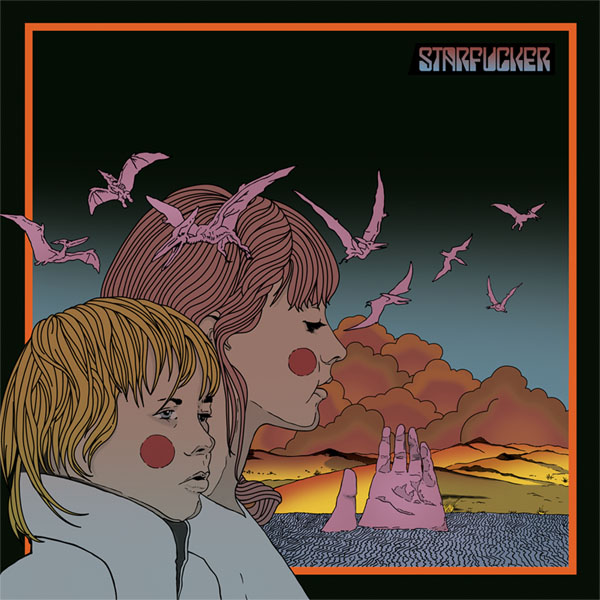
    12. Starfucker – Reptilian

    Not a bad return for this Portland band. Their debut was really great, and this delivered a few good hits. These guys know how to handle a really simple pop melody.
    Key Track: Julius

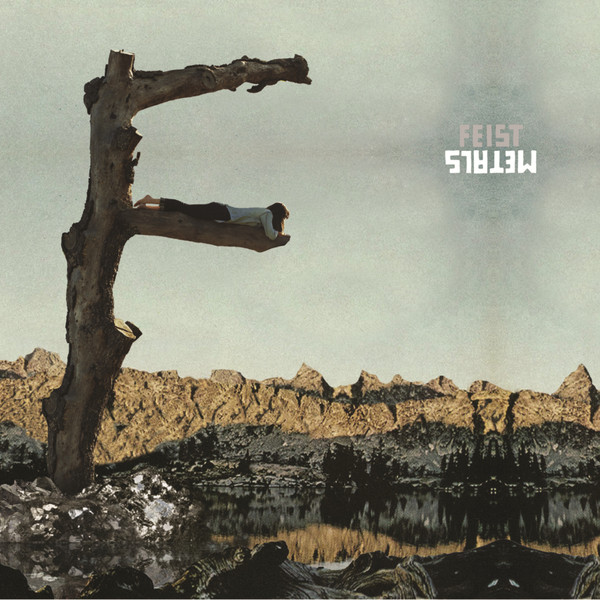
    11. Feist – Metals

    A certain special someone really enjoys this album and would have it as her #1. It feels a little less colorful to me than The Reminder did, but that doesn’t make it any less enjoyable…just a different experience.
    Key Tracks: The Bad in Eachother, How come you never go there?

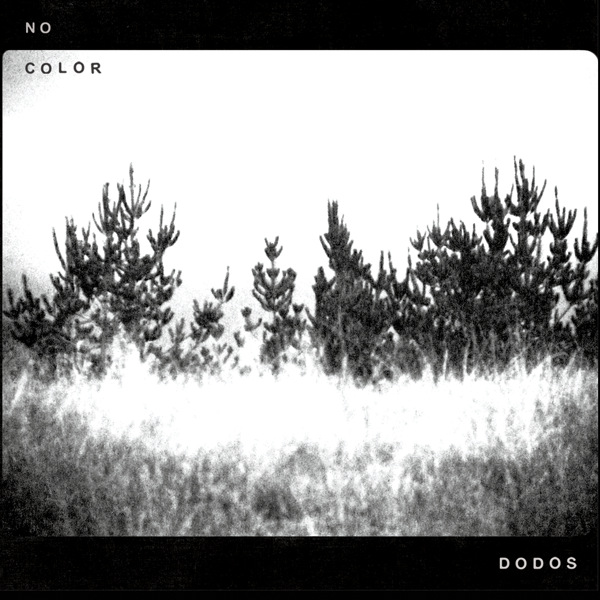
    10. The Dodos – No Color

    I haven’t been into their previous work that much, but this one slowly worked its way into my listening cycle in February and March and I found myself becoming interested in more and more of the songs on the album. The album felt much more cohesive to me and was a good one to digest all at once.
    Key Tracks: Black Night, Good, Don’t Try and Hide It.

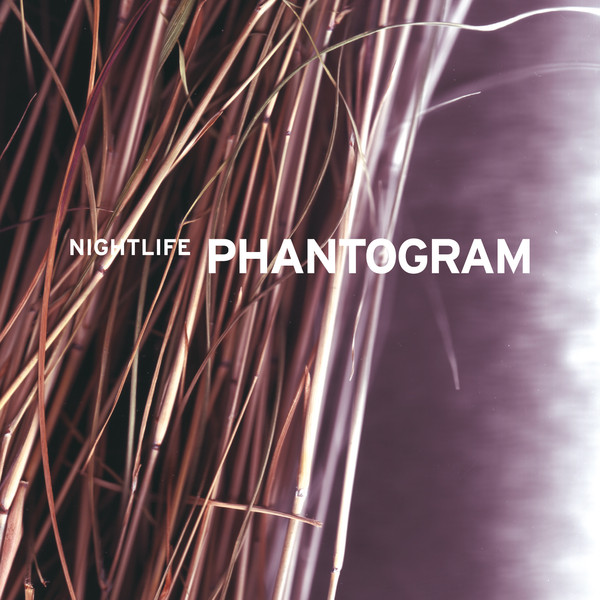
    9. Phantogram – Nightlife EP

    Of course I’m just a little bit biased on this one if you know me well… Phantogram returns with some of their newest material is almost 3 years. I have been doing visuals for them since 2008 so I am quite familiar with their first set of songs by now. These new songs gave me a fresh perspective on a band that I hope continues to do amazing work…now I just need to hold out for another full length.
    Key Tracks: Don’t Move (really one of their greatest songs since…ever), 16 Years

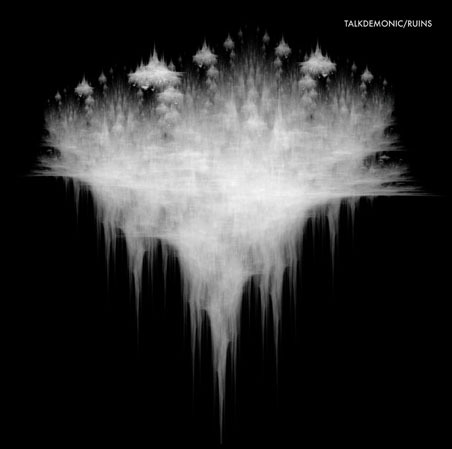
    8. Talkdemonic – The Ruins

    The Pacific-Northwesterners, Talkdemonic, return with a really solid offering. It’s perfect music to sit and analyze, or to have in the background while you get some work done. In this album they offer an even more refined sound of viola, drums and synth from their other albums (still all instrumental). Ruins even sees them toying with slightly longer song structures (one track cracks the 5 minute mark, which is impressive for a band that averages about 2 minutes per track). This album sees a return to some of their amazingly inventive drumbeats that we saw a lot of in Beat Romantic. Overall, the album have a cohesiveness, but it carries some of the dark melancholy of Eyes at Half Mast, but with a more determined/powerful undercurrent.
    Key Tracks: Ruins, Slumber Verses, City Sleep.

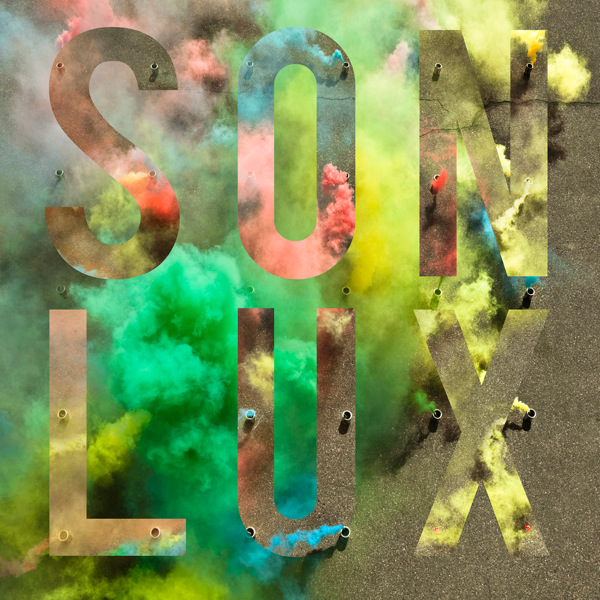
    7. Son Lux – We Are Rising

    As part of a challenge issued from NPR, Son Lux wrote and recorded an entire album in 28 days during the month of February. He documented the whole process, and it was really great to be able to follow along with the creative flow of an artist I really admire. It doesn’t have the cohesive/overarching structure/polish feeling I got out of his incredible 2008  album At War with Walls and Mazes, but it has a lot of really interesting moments strewn throughout that make it a great piece…and I’m not looking for the same kind of meticulous detail in an album made in only 28 days anyway, hah. If only I could communicate how much anticipation I had to finally hear the entire version of “All the Right Things” after hearing an early small sample of the giant drop from the NPR blog..it’s still an amazing sonic moment to hear. The insane polyrhythms going on in “Let Go” are another example of an artist that is really in control of his sonic world.
    Key Tracks: All the Right Things, Let Go, Flickers, Rising

    6. The Antlers – Burst Apart

    The Antler’s previous album, Hospice, seemed like it was all over the place for a while. I felt like there was much less buzz around this album, but that it was still well received. This one felt much less like a concept album, and more like they were writing to make songs that would be a little more stage appropriate. Hospice was a brilliant album, but didn’t necessarily translate to live performances in the same way. I kept returning to the album, and every time a new song would stick out to me or I would find another stuck in my head at certain points.
    Key Tracks: Parentheses, No Widow, Every Night My Teeth Are Falling Out.

    5. Bright Eyes – The People’s Key

    I always have a soft spot for Bright Eyes. It usually takes me a while to adjust to the new albums, but I just keep giving them a try until they really click with me. This album had some similarities to the previous, Cassadaga, but had some more electric/rock tracks mixed in than usual and with an unusual almost alt-country sci-fi theme to it. The album didn’t give me a “Lover I Don’t Have to Love,” or a “Lime Tree,” or a “Lua”, but what was important for me is that it still ended up being an album that only a band like Bright Eyes could make.
    Key Tracks: Beginner’s Mind, Ladder Song, Approximate Sunlight

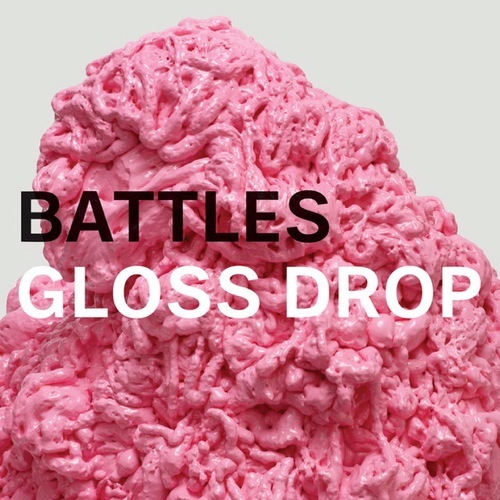
    4. Battles-Gloss Drop

    Oh goodness this was an album I was waiting for. Mirrored was definitely a great album, but it seemed very far from their EP C/B EP days that originally drew me to them. They lost one of their core members, but still managed to crank out some really amazing pieces. I wasn’t sure how I felt about the single, Ice Cream, at first but that has easily become one of my favorites from the album. The real standout for me is “Futura,” a song that has a really great texture and shape to it…not to mention one of the best drum solos I’ve ever heard. Do yourself a favor and check out their video for My Machines as well.
    Key Tracks: Futura, Ice Cream, My Machines

    3. Braids – Native Speaker


    This is a strange album for me because technically I was listening to it in 2010 because I was hard at work on my first commissioned music video. Braids is one of the few bands that has really successfully won me over with a live show before hearing their recorded tracks. After seeing them for the first time I went up to them and told them I really wanted to work with them for visuals or whatever they wanted. This album will always have a special place for me because of how all of that worked out. It’s definitely a bizarre album in retrospect, but it has a lot of really unique soundscape moments and I’m already really looking forward to their next effort. Oh yeah, I think this album wins best album art for me, too.
    Key Tracks: Lemonade, Plath Heart, Glass Deers

    2. Hooray For Earth – True Loves


    Another album I have a really personal connection to. Someone had offered me the chance to throw together a ton of visuals in a week for this album, and I took it without knowing a whole lot about them. I had heard Hooray for Earth’s debut EP, Momo, but it didn’t stick with me too much. After many repeated listens while working on their visuals I started to notice “Hey..these songs are amazing!” The whole album has a great cohesiveness to it. It has a great heavy and dimensional sound to it with a very interesting color palette. It’s strange how accurate album covers start to feel to me when listening to an album over and over.
    Key Tracks: Realize It’s Not the Sun, True Loves, Black Trees

    1. Bon Iver – Bon Iver

    I was very late to the party on the previous Bon Iver album, but I have been following a lot of his other projects (Volcano Choir, Gayngs) so I was really curious about what he would be returning with this time. On the first listen-through’s on albums I’m sort of subconsciously searching for that one song that is like “Ok, this is going to be my favorite track” but this album made that really difficult. I had to give each song sort of it’s own few days in the spotlight. The only knock I really had for it was that it seemed much more like a winter album so it was strange to see it come out mid-spring..so it should be interesting to see how it is in the dead of winter. There isn’t a whole lot more I can say about this album that hasn’t already been raved about all over the internets, but it definitely deserves a listen.
    Key Tracks: Calgary, Michicant, Holocene

    Top Tracks:

    No particular order this year, but these are some of my favorites I’ve heard this year:

    Phantogram – Don’t Move
    Bon Iver – Michicant
    M83 – Midnight City
    Bright Eyes – Beginner’s Mind
    The Antlers – Parentheses
    Battles – Futura
    Son Lux – Let Go
    Feist – The bad in eachother
    Starfucker – Julius
    Braids – Lemonade

    Previous lists:
    2010
    2009
    2008

    Check out my new Music Videos of the Year list!